

Class: Primary 4
Term: 2nd Term
Week: 2
Age: 9 years
Duration: 45 minutes
Subject: Yoruba
Curriculum Theme: Nigerian Languages
Previous Lesson: Leta Kikọ, Leta Gbèfè, Igbese and Apeere.
Topic: ÈRỌ KÒM̀PÚTÀ (Computer)
Subject Matter: Dídá èyà ara kòm̀pútà mò, Dárúkọ àwọn èyà ara kòm̀pútà, Ya àwòrán kòm̀pútà (Identifying computer parts, Naming computer parts, Drawing a computer)
Specific Objectives
By the end of the lesson, pupils should be able to:
Cognitive Domain:
- Define what a computer is in Yoruba.
- Name at least three parts of a computer in Yoruba.
Affective Domain:
- Show interest in learning about computers and their uses.
- Appreciate the importance of computers in daily life.
Psychomotor Domain:
- Identify pictures of different computer parts.
- Draw a simple diagram of a computer.
Social Domain:
- Discuss with peers about the different parts of a computer.
Reference Materials
The following resources were used in planning this lesson:
- 9 Years Basic Education Curriculum.
- State Unified Scheme of Work for Primary Schools.
- Ìwé Èdè Yorùbá fun Àkárà Ìbàrà Kérìn.
Instructional Materials
The teacher will teach this lesson with the aid of:
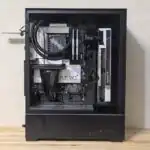
- Awòrán komputa (picture of a computer).
- Chart eya ara kòm̀pútà (chart showing computer parts).
- Pátákó ìkòwé (whiteboard/chalkboard).
- Kaadi koko oro (flashcards of keywords).
Rationale for the Lesson
This lesson helps pupils to understand what a computer is and to identify its basic parts. Learning about computers is important because they are widely used in homes, schools, and offices, making daily tasks easier and faster for many people.
Prerequisite/Previous Knowledge
Pupils may have seen or heard about computers at home, in school, or in other places. They may also be familiar with other electronic devices.
Lesson Content/Board Summary
ÈRỌ KÒM̀PÚTÀ (Computer)
Kí ni Èrọ Kòm̀pútà? (What is a Computer?)
Èrọ kòm̀pútà jẹ́ ẹ̀rọ ìṣiṣẹ́ ìrọ́rùn tí ó ń ṣe iṣẹ́ oríṣiríṣi bí ìkòwé, ìṣiṣẹ́ ìṣírò, àti wíwo àwọn àwòrán. Ó ń gba àwọn ìwọlé, ó ń ṣiṣẹ́ lorí wọn, ó sì ń fun ní àwọn àjádé.
Àwọn Èyà Ara Kòm̀pútà (Parts of a Computer)
Àwọn èyà ara kòm̀pútà tí àwọn ènìyàn máa ń rí nípàtàkì ni àwọn wọ̀nyí:
- Atẹ ibùwọlé (Keyboard) – fun tita leta àti nọ́mbà.
- Èkú (Mouse) – fun titọ́ka sí ojú àwòjú.
- Àwòjú (Monitor) – ibi tí a ti ń rí ohun tí a ń ṣe.
- Ilé iṣẹ́ (System Unit/CPU) – ibi tí gbogbo iṣẹ́ ti ń lọ.
- Àsọfọ̀ (Speaker) – fun gbigbọ́ ohun.
- Atẹ́jíjẹ (Printer) – fun tita iṣẹ́ sí orí iwé.
Yáa Àwòrán Kòm̀pútà (Drawing a Computer)
Wíya àwòrán kòm̀pútà jẹ́ ọ̀nà kan tí a fi lè fi hàn pé a mọ̀ àwọn èyà ara rẹ̀. Ó ṣe kókó kí a ya àwọn èyà ara rẹ̀ bí àwòjú, atẹ ibùwọlé, àti èkú.
Teaching Methods/Instructional Techniques
Discussion, Lecture, Demonstration, Question and Answer, Visual Aids
Instructional Procedures
Step 1: Introduction
Time: 5 minutes
Teaching Skill: Set Induction
Teacher’s Activity: The teacher greets the pupils and asks them if they have seen a computer before or if they know what it is used for. The teacher introduces the topic, “ÈRỌ KÒM̀PÚTÀ.”
Pupils’ Activity: Pupils respond to the teacher’s questions and listen attentively.
Learning Point: Pupils are introduced to the topic and activate prior knowledge.
Step 2: Definition of Computer
Time: 8 minutes
Teaching Skill: Explanation/Definition
Teacher’s Activity: The teacher defines “Èrọ Kòm̀pútà” in Yoruba, explaining it as an electronic device that helps with various tasks. The teacher writes the definition on the board.
Pupils’ Activity: Pupils listen, take notes, and repeat the definition after the teacher.
Learning Point: Pupils learn the definition of a computer.
Step 3: Identification and Naming of Computer Parts
Time: 10 minutes
Teaching Skill: Identification/Listing
Teacher’s Activity: The teacher displays pictures or a chart of a computer and its parts. The teacher points to each part and names it in Yoruba (e.g., Atẹ ibùwọlé, Èkú, Àwòjú, Ilé iṣẹ́). The teacher writes the names of the parts on the board.
Pupils’ Activity: Pupils observe the pictures/chart, listen to the names, and repeat them. They also write the names in their notebooks.
Learning Point: Pupils identify and name various computer parts in Yoruba.
Step 4: Discussion on the Functions of Computer Parts
Time: 7 minutes
Teaching Skill: Discussion/Elaboration
Teacher’s Activity: The teacher briefly explains the function of each named computer part (e.g., Àwòjú shows what you are doing, Atẹ ibùwọlé is for typing).
Pupils’ Activity: Pupils listen and ask questions for clarification.
Learning Point: Pupils understand the basic functions of computer parts.
Step 5: Demonstration of Drawing a Computer
Time: 5 minutes
Teaching Skill: Demonstration
Teacher’s Activity: The teacher draws a simple outline of a computer (monitor, keyboard, mouse) on the board, demonstrating how pupils can draw it.
Pupils’ Activity: Pupils watch carefully and observe the steps.
Learning Point: Pupils learn how to draw a basic computer.
Step 6: Practical Activity – Drawing a Computer
Time: 5 minutes
Teaching Skill: Practical Application
Teacher’s Activity: The teacher instructs pupils to draw a computer with its parts in their notebooks, providing guidance as needed.
Pupils’ Activity: Pupils draw a computer in their notebooks.
Learning Point: Pupils practice drawing a computer, reinforcing their understanding of its components.
Step 7: Evaluation/Review
Time: 5 minutes
Teaching Skill: Questioning/Assessment
Teacher’s Activity: The teacher evaluates the learning by asking the following questions:
- Kí ni Èrọ Kòm̀pútà? (What is a computer?)
- Dárúkọ mẹ́ta nínú àwọn èyà ara kòm̀pútà. (Name three parts of a computer.)
- Ya àwòrán kòm̀pútà kan sínú ìwé rẹ. (Draw a computer in your book.)
Pupils’ Activity: Pupils answer orally and in writing.
Learning Point: Pupils demonstrate understanding of the lesson.
Step 8: Conclusion
Time: 1 minute
Teaching Skill: Summarization
Teacher’s Activity: The teacher summarizes the main points of the lesson, emphasizing the importance of knowing about computers and their parts.
Pupils’ Activity: Pupils listen and participate in the summary.
Learning Point: Pupils review the key takeaways from the lesson.
Lesson Keywords
- Èrọ Kòm̀pútà – Computer
- Èyà Ara – Parts
- Àwòjú – Monitor
- Atẹ ibùwọlé – Keyboard
- Èkú – Mouse
- Ilé iṣẹ́ – System Unit/CPU
- Yáa Àwòrán – To draw a picture
Differentiation
For pupils who grasp the concepts quickly, the teacher can ask them to name more computer parts or explain their uses in more detail. For pupils who need more support, the teacher can provide individual guidance, use simpler language, or allow them to copy the drawings and names directly from the board.
Note for teachers using this lesson plan
Ensure that all Yoruba terms are pronounced correctly and clearly. Encourage pupils to use the Yoruba terms when discussing computers. Visual aids are very important for this lesson, so make sure they are clear and engaging. Allow enough time for the drawing activity as it helps to solidify understanding.
Community Join the conversation Open discussion +