

Class: Primary 4
Term: 1st Term
Week: 4
Age: 9 years
Duration: 45 minutes
Subject: Yoruba
Curriculum Theme: Nigerian Languages
Previous Lesson: Ìtumọ̀ àròsọ oníròyìn àti àwọn kókó tí ó yẹ fún ìrírí tí a ó sọ.
Topic: ÀRÒSỌ
Subject Matter: Èrọ kòm̀pútà, Ìtúmò èrọ kòm̀pútà, Ìwúlò èrọ kòm̀pútà ní àwùjọ, Sísọ oríkì èrọ kòm̀pútà
Specific Objectives
By the end of the lesson, pupils should be able to:
Cognitive Domain:
- Sọ ìtúmò èrọ kòm̀pútà.
- Darukọ òkèrè mẹ́ta sí mẹ́rin ninu àwọn ìwúlò èrọ kòm̀pútà ní àwùjọ.
Affective Domain:
- Fi àfẹ́fẹ́ hàn sí ìlò àti ìwúlò èrọ kòm̀pútà.
- Mọ ìwúlò èrọ kòm̀pútà ní àwọn iṣẹ́ oríṣiríṣi.
Psychomotor Domain:
- Sọ àwọn oríkì méjì tabi ju bẹ́ẹ̀ lọ fun èrọ kòm̀pútà.
- Da àpẹẹrẹ ìlò èrọ kòm̀pútà nínú ayé lojoojumọ.
Social Domain:
- Fi àwọn ọ̀rọ̀ sọ̀rọ̀ nipa ìwúlò èrọ kòm̀pútà pẹlú àwọn ọmọ́lẹ́hìn wọn.
Reference Materials
The following resources were used in planning this lesson:
- 9 Years Basic Education Curriculum (Yoruba Language)
- State Unified Scheme of Work (Yoruba Language)
- Ìwé Èdè Yoruba fun ilé Ìwé Alákọ̀bẹ́rẹ̀ 4
Instructional Materials
The teacher will teach this lesson with the aid of:
- Awòrán komputa (Picture of a computer)
- Kaadi koko oro (Flashcards of keywords)
- Pátákó ìkòwé (Writing board)
- Ìwé kika (Reading book)
Rationale for the Lesson
This lesson helps pupils understand what a computer is and how it is used in society, expressed in their native language. It enables them to discuss technology using Yoruba, which is important for their communication skills and cultural understanding.
Prerequisite/Previous Knowledge
Pupils have seen or heard about computers before and can form simple sentences in Yoruba.
Lesson Content/Board Summary
ÀRÒSỌ: Èrọ Kòm̀pútà
Ìtúmò Èrọ Kòm̀pútà
Èrọ kòm̀pútà jẹ́ ẹrọ ìbánìsọ̀rọ̀ àti ìṣíṣẹ́ tí ó lè gba àwọn àkàntùrà, ṣíṣe wọn, àti fi àwọn èsì hàn. Ó máa ń ṣiṣẹ́ nípa ìtọ́ni àwọn ètò. Ó jẹ́ ẹrọ ìṣíṣẹ́ ìròyìn tí ó máa ń ṣe iṣẹ́ pẹlú ìyárá.
Ìwúlò Èrọ Kòm̀pútà ní Àwùjọ
Àwọn ìwúlò èrọ kòm̀pútà ní àwùjọ pọ̀. Àwọn wọnyi ni òkèrè diẹ ninu wọn:
- Ní Ilé Ìwé: Fun ìkọ́ni àti ìkẹ́kọ̀ọ́, ìwádìí, àti ìgbàsílẹ̀ àwọn àbájáde.
- Ní Ọfísì: Fun ìṣíṣẹ́ ìwé, ìfìbánìsọ̀rọ̀, àti ìṣetò iṣẹ́.
- Ní Ilé: Fun ìgbáràyá, ìwá àwòrán, àti ìbánìsọ̀rọ̀ pẹlú àwọn ẹbí.
- Ní Ilé Ìwòsàn: Fun ìgbàsílẹ̀ àwọn ààrùn, ìṣe ìwádìí, àti ìṣetò ìwáràn.
- Ní Ojà: Fun ìṣirò owó, ìṣòwò orí àtẹgùn (online business), àti ìṣetò ọjà.
Oríkì Èrọ Kòm̀pútà
Èrọ kòm̀pútà ní àwọn oríkì tabi àwọn àpejúwe kan tí a lè fi pè é, láàrin wọn ni:
- Àgbẹ̀kọ́ gbogbo iṣẹ́: Nitorí ó lè ṣe ọ̀pọ̀ iṣẹ́ lóríṣiríṣi.
- Àṣíṣẹ́ gbágbó: Nitorí ó máa ń ṣiṣẹ́ pẹlú ìyárá àti àtégùn.
- Olùrànlọ́wọ́ ìṣíṣẹ́: Nitorí ó máa ń ran ní lọ́wọ́ nínú ọ̀pọ̀lọ́pọ̀ iṣẹ́.
Teaching Methods/Instructional Techniques
Discussion, Lecture, Demonstration, Question and Answer, Visual Aids
Instructional Procedures
Step 1: Introduction
Time: 5 minutes
Teaching Skill: Set Induction
Teacher’s Activity: Olùkọ́ yoo ki àwọn akẹ́kọ̀ọ́, yoo bèrè ìbéèrè nipa ohun tí wọ́n mọ̀ nipa èrọ ìgbánírojọ (technology) ní àwọn àgbègbè wọn. Yoo sì ṣàfihan koko ìkẹ́kọ̀ọ́ tuntun, “ÀRÒSỌ: Èrọ Kòm̀pútà”.
Pupils’ Activity: Àwọn akẹ́kọ̀ọ́ yoo dahun ìbéèrè olùkọ́, wọn yoo sì gbọ́ koko ìkẹ́kọ̀ọ́ tuntun.
Learning Point: Wíwáyésí àwọn akẹ́kọ̀ọ́ sí koko ìkẹ́kọ̀ọ́ tuntun.
Step 2: Ìtúmò Èrọ Kòm̀pútà
Time: 10 minutes
Teaching Skill: Explanation/Definition
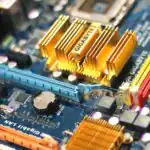
Teacher’s Activity: Olùkọ́ yoo ṣàlàyé ìtúmò èrọ kòm̀pútà ní èdè Yoruba tí ó yé àwọn akẹ́kọ̀ọ́. Yoo fi awòrán kòm̀pútà hàn.
Pupils’ Activity: Àwọn akẹ́kọ̀ọ́ yoo gbọ́ tí olùkọ́ ń ṣàlàyé, wọn yoo sì wo awòrán kòm̀pútà. Wọn yoo gbiyanjú láti sọ ìtúmò náà padà.
Learning Point: Mímọ ìtúmò èrọ kòm̀pútà.
Step 3: Ìwúlò Èrọ Kòm̀pútà ní Àwùjọ
Time: 10 minutes
Teaching Skill: Elaboration/Illustration
Teacher’s Activity: Olùkọ́ yoo ṣàlàyé àwọn ìwúlò èrọ kòm̀pútà ní àwọn àgbègbè oríṣiríṣi bí ilé ìwé, ọfísì, ilé, àti béẹ̀bẹ́ẹ̀ lọ. Yoo sì da àpẹẹrẹ.
Pupils’ Activity: Àwọn akẹ́kọ̀ọ́ yoo gbọ́, wọn yoo sì da àpẹẹrẹ ìwúlò kòm̀pútà tiwọn.
Learning Point: Yíye ìwúlò èrọ kòm̀pútà ní àwọn àgbègbè oríṣiríṣi.
Step 4: Oríkì Èrọ Kòm̀pútà
Time: 5 minutes
Teaching Skill: Recitation/Memorization
Teacher’s Activity: Olùkọ́ yoo kọ àwọn oríkì èrọ kòm̀pútà sí orí pátákó. Yoo kà wọ́n, àwọn akẹ́kọ̀ọ́ yoo sì kà wọ́n lẹ́yìn rẹ̀.
Pupils’ Activity: Àwọn akẹ́kọ̀ọ́ yoo kà àwọn oríkì náà lẹ́yìn olùkọ́.
Learning Point: Mímọ àti sísọ àwọn oríkì èrọ kòm̀pútà.
Step 5: Ìdárànsí/Ìṣe Àwọn Akẹ́kọ̀ọ́
Time: 5 minutes
Teaching Skill: Application/Practice
Teacher’s Activity: Olùkọ́ yoo pe àwọn akẹ́kọ̀ọ́ diẹ láti sọ ìtúmò, ìwúlò, àti oríkì èrọ kòm̀pútà.
Pupils’ Activity: Àwọn akẹ́kọ̀ọ́ yoo dahun àwọn ìbéèrè náà nípa síṣe àlàyé, sísọ ìwúlò, àti oríkì èrọ kòm̀pútà.
Learning Point: Fífi hàn pé àwọn akẹ́kọ̀ọ́ ti yé koko ìkẹ́kọ̀ọ́.
Step 6: Ìṣe Àti Àtúnṣe
Time: 5 minutes
Teaching Skill: Correction/Reinforcement
Teacher’s Activity: Olùkọ́ yoo ṣàtúnṣe àwọn àṣìṣe tí àwọn akẹ́kọ̀ọ́ bá ṣe nínú àwọn iṣẹ́ wọn. Yoo tun ṣàlàyé àwọn àgbègbè tí wọn kò tíì yé dáadáa.
Pupils’ Activity: Àwọn akẹ́kọ̀ọ́ yoo gbọ́ àwọn àtúnṣe àti àwọn àlàyé olùkọ́.
Learning Point: Ìmúlẹ àti ìye koko ìkẹ́kọ̀ọ́.
Step 7: Evaluation/Review
Time: 5 minutes
Teaching Skill: Questioning/Assessment
Teacher’s Activity: The teacher evaluates the learning by asking the following questions:
- Kí ni ìtúmò Èrọ Kòm̀pútà?
- Darukọ òkèrè mẹ́ta ninu àwọn ìwúlò Èrọ Kòm̀pútà ní àwùjọ.
- Sọ òkèrè méjì ninu àwọn oríkì fun Èrọ Kòm̀pútà.
- Da àpẹẹrẹ bí àwọn eniyàn ṣe ń lo Èrọ Kòm̀pútà nínú ilé.
Pupils’ Activity: Pupils answer orally and in writing.
Learning Point: Pupils demonstrate understanding of the lesson.
Step 8: Conclusion
Time: 5 minutes
Teaching Skill: Summary/Assignment
Teacher’s Activity: Olùkọ́ yoo ṣe àkọ́pò koko ìkẹ́kọ̀ọ́ tí wọn kọ́ lónìí. Yoo sì fun wọn ní iṣẹ́ ilé: “Kọ àwọn ìwúlò Èrọ Kòm̀pútà mẹ́ta sí ìwé iṣẹ́ rẹ.”
Pupils’ Activity: Àwọn akẹ́kọ̀ọ́ yoo gbọ́ àkọ́pò náà, wọn yoo sì kọ iṣẹ́ ilé wọn sílẹ̀.
Learning Point: Ìmúlẹ koko ìkẹ́kọ̀ọ́ àti ìṣe iṣẹ́ ilé.
Lesson Keywords
- Èrọ Kòm̀pútà – Computer
- Ìtúmò – Definition
- Ìwúlò – Use/Importance
- Àwùjọ – Society
- Oríkì – Praise name/Attribute
Differentiation
For pupils who grasp concepts quickly, the teacher can ask them to explain how computers have changed daily life. For pupils who need more support, the teacher can provide visual aids like flashcards with images and simpler sentences, or allow them to answer in shorter phrases.
Note for teachers using this lesson plan
Encourage pupils to use Yoruba when discussing computers to build their vocabulary and confidence in the language. Use real-life examples to make the lesson relatable. Ensure to correct pronunciation of Yoruba words gently and clearly.
Community Join the conversation Open discussion +