

Class: Primary Two
Term: First Term
Subject: basic Science and Technology
Curriculum theme: Computer Studies
Previous Lesson: Parts of a Computer
Topic: Parts of a Computer
Content/Learning Area: Identifying the parts of a computer, Understanding the function of a printer, mouse, and joystick
Time Allocation: 40 minutes
Performance Objectives
by the end of the lesson, pupils should be able to:
- Cognitive Domain:
1. Identify the parts of a computer.2. Understand the function of a printer, mouse, and joystick.
- Psychomotor Domain:
1. Demonstrate the use of a mouse.
- Affective Domain:
1. Show interest in learning about computers.
- Social Domain:
1. Work cooperatively with peers.
Reference Materials
- 9 – Years Basic Education Curriculum
- Abuja Educational Resource Center Scheme of Work
- NAPPS National Unified Scheme of Work
- Relevant Textbooks
Instructional Materials
To deliver this lesson, the teacher will employ the help of the following materials:
- Pictures of computer parts
- A real computer (if possible)
- Whiteboard or chart paper
- Markers
Rationale for the Lesson
Understanding the parts of a computer is basic to using technology effectively. This knowledge forms a base for future lessons on computer operations and applications.
Prerequisite/Previous Knowledge
The teacher will start by asking students what they already know about computers. A brief discussion will follow, leading into the lesson’s topic: the parts of a computer.
Lesson Content
Parts of a Computer
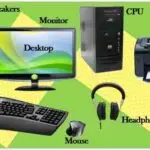
A computer is a powerful tool that helps us do many things, like play games, learn new things, and connect with others. It has many different parts that work together. Some common parts include:
Printer
A printer produces paper copies of digital documents.It takes information from the computer and prints it onto paper.
mouse
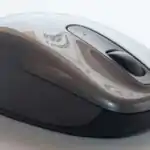
A mouse is a pointing device that helps us navigate and interact with the computer screen. We use it to click on icons, move the cursor, and select text.
Joystick
A joystick is an input device used to play games and control movement in some computer applications. It lets us move characters or objects in games and simulations.
Parts and Their Jobs
A mouse moves the pointer and selects items. A printer produces words or pictures on paper. A joystick controls movement in some games or simulations. These parts work with the computer system but do different jobs.
Hold devices gently, keep food and liquids away and ask an adult before connecting a cable. A printer is an output device; a mouse and joystick are input devices.
Teaching Methods
To deliver this lesson, the teacher will adopt the following methods: Discussion, Exhibition, Question and Answer
Instructional Procedures
To deliver this lesson, the teacher will adopt the following steps:
Step 1: Introduction
Time: 5 minutes
Teaching Skill: Set Induction
Teacher’s Activity: Ask students what they know about computers and introduce the topic: Parts of a Computer.
Pupils’ Activity: Respond to teacher’s questions and listen attentively.
Step 2: Description of Key Concepts
Time: 15 minutes
Teaching Skill: Explaining
Teacher’s Activity: explain the functions of the printer,mouse,and joystick using pictures and real-life examples.
Pupils’ Activity: Listen attentively and ask questions.
Step 3: Presentation/Guided Practice
Time: 10 minutes
Teaching Skill: demonstrating
Teacher’s Activity: demonstrate how to use a mouse and show pictures of a printer and joystick in action.
Pupils’ Activity: Observe the demonstration and participate in a brief Q&A session.
Step 4: Self-Reliant Practice
time: 5 minutes
Teaching Skill: monitoring
Teacher’s Activity: Allow students to draw pictures of the computer parts and label them.
pupils’ Activity: Draw and label the computer parts.
Step 5: Note-Taking
Time: 2 minutes
Teaching Skill: Summarizing
Teacher’s Activity: Summarize the key points of the lesson.
Pupils’ Activity: Take notes.
Step 6: evaluation/Review
Time: 3 minutes
Teaching Skill: Questioning
Teacher’s Activity: Ask evaluation questions.
Pupils’ Activity: Answer the evaluation questions.
Objective-aligned checks:
- Identify the parts of a computer.
- Demonstrate the use of a mouse.
- Show interest in learning about computers.
Step 7: Conclusion
Time: 2 minutes
Teaching Skill: Summarizing
teacher’s Activity: Conclude the lesson by reviewing the key concepts and assigning homework.
Pupils’ Activity: Listen attentively and note down homework.
Lesson Keywords
- Computer – An electronic device for storing and processing data.
- Printer – A device that produces a paper copy of digital documents.
- Mouse – A hand-operated input device that controls the cursor on a computer screen.
- Joystick – An input device used for controlling movement in video games or other applications.
Lesson Evaluation
To evaluate the learning, the teacher asks pupils to:
- What is a printer used for?
- How do we use a mouse to interact with a computer?
- When would you use a joystick on a computer?
- Name some other computer parts.
- How do you use a computer in your daily life?
Assignment/Homework
- Draw and label other computer parts you know.
- write a short paragraph about how a computer helps you learn.
differentiation
- For slower learners: Provide one-on-one assistance and simplified explanations.
- For advanced learners: Encourage them to research and present on other computer parts.
- For visual/auditory/kinesthetic learners: Use visual aids, verbal explanations, and hands-on activities to cater to different learning styles.
Note for Teachers
Ensure to use real-life examples and visual aids to make the lesson engaging and understandable for primary two pupils. Encourage active participation and provide positive reinforcement.

Community Join the conversation Open discussion +