

Class: Primary Two
Term: Third Term
Subject: Basic Science and Technology
Curriculum Theme: Computer Studies
Previous Lesson: Uses of Smartphone
Topic: organizers
Content/Learning Area: Definition of Organizers, Types of Organizers, Examples of Organizers
Time Allocation: 40 minutes
Performance Objectives
By the end of the lesson, pupils should be able to:
- Cognitive Domain:
- Define what an organizer is.
- Identify common examples of organizers used in their environment.
- Discuss how organizers help in school activities.
- Affective Domain:
- show enthusiasm for learning about organizers.
- Psychomotor Domain:
- Show interest in using organizers in their daily activities.
- Social Domain:
- Participate actively in class discussions.
Reference materials
- 9 – Years Basic Education Curriculum
- Abuja Educational Resource Centre Scheme of work
- NAPPS National Unified Scheme of Work
- Online Details
- relevant Textbooks
Instructional materials
To deliver this lesson, the teacher will use the following materials:
- Whiteboard or chart paper
- Markers or crayons
- Examples of organizers (calendar, timetable, planner, etc.)
Rationale for the Lesson
Understanding organizers is crucial for time management and institution, essential skills for academic success and daily life. This lesson lays the foundation for future lessons on planning and scheduling.
Prerequisite/previous Knowledge
Pupils are familiar with daily routines and tasks.
Lesson Content
Definition of Organizers
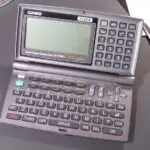
A digital organizer is an electronic tool that helps manage schedules, tasks, time, and other personal information. They help us remember what we need to do and when. Simple organizers include calendars, timetables, reminders, and planners.
Types of Organizers
Organizers come in various forms,each serving a specific purpose to help manage time,tasks,and information effectively.
These include:
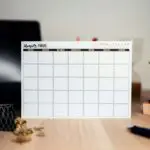
- Calendars: These help us keep track of vital dates, events, and appointments.
- Timetables: These show us the schedule of classes or activities for a particular day or week.
- Planners: These help us organize our tasks and projects, setting deadlines and priorities.
- Reminders: These alert us about upcoming events or tasks, ensuring we don’t forget crucial things.
- Digital Apps: These are software applications on electronic devices that help manage schedules, tasks, and notes.
- Agendas: These are used to plan and structure meetings or events, ensuring all topics are covered.
examples of Organizers
Organizers are practical tools that help individuals manage their daily activities and responsibilities.
Examples are:
- School timetable: This tells you when your classes are and what subjects you will be learning.
- Wall planner: This helps your family keep track of important dates and events.
- To-do list: This helps you remember all the things you need to do.
- Grocery list: This helps you remember what to buy at the store.
- Appointment book: This helps you keep track of your appointments and meetings.
- Study schedule: This helps you plan your study time and allocate time for each subject.
Teaching Methods
To deliver this lesson, the teacher will adopt the following methods: Discussion, Question and answer, Examples
Instructional Procedures
To deliver this lesson, the teacher will adopt the following steps:
Step 1: Introduction
Time: 5 minutes
Teaching skill: Questioning
Teacher’s Activity: Asks pupils about their daily routines and how they remember tasks.
Pupils’ Activity: Share their experiences and strategies.
Step 2: description of Key Concepts
Time: 10 minutes
Teaching Skill: Explaining
teacher’s Activity: Defines organizers and explains their purpose.Pupils’ Activity: Listen attentively and ask clarifying questions.
Step 3: Exhibition/Guided Practice
Time: 10 minutes
Teaching Skill: Demonstrating
Teacher’s Activity: Shows examples of different organizers and explains their uses.
Pupils’ Activity: Observe and participate in discussions.
Step 4: Autonomous Practice
Time: 5 minutes
Teaching Skill: Monitoring
Teacher’s Activity: Guides pupils in identifying organizers in their environment.
Pupils’ Activity: Identify and discuss examples of organizers.
Step 5: Note-Taking
Time: 5 minutes
Teaching Skill: Note-taking
Teacher’s Activity: Summarizes key concepts on the board.
Pupils’ Activity: Copy notes into their notebooks.
Step 6: Evaluation/Review
Time: 5 minutes
Teaching Skill: Questioning
Teacher’s Activity: Asks evaluation questions.
Pupils’ Activity: Answer the questions.
Objective-aligned checks:
- Define what an organizer is.
- Identify common examples of organizers used in their environment.
- show enthusiasm for learning about organizers.
Step 7: Conclusion
Time: 2 minutes
Teaching Skill: Summarizing
Teacher’s Activity: Reviews the key concepts of the lesson.Pupils’ Activity: Listen and ask any final questions.
Lesson Keywords
- Organizer – A tool that helps manage schedules, tasks, and time.
- Calendar – A tool for tracking dates and events.
- Timetable – A schedule of classes or activities.
- Planner – A tool for organizing tasks and projects.
- Reminder – An alert about upcoming events or tasks.
lesson Evaluation
To evaluate the learning, the teacher asks pupils to:
- What is an organizer?
- Name two types of organizers.
- How does a timetable help you at school?
- Name an organizer you use at home.
- Why are organizers critically important?
assignment/Homework
- List three different types of organizers you can find at home.
- Create a simple to-do list for your activities tomorrow.
Differentiation
- For slower learners: Provide one-on-one assistance and simplified explanations.
- For advanced learners: Encourage them to find and present additional examples of organizers.
- For visual/auditory/kinesthetic learners: Use visual aids, verbal explanations, and hands-on activities to cater to different learning styles.
Note for Teachers
ensure to bring real-life examples of organizers to class to make the lesson more engaging and relatable for the pupils. Encourage active participation and discussion to reinforce understanding.


Community Join the conversation Open discussion +