

Class: Primary Two
Term: Second Term
Subject: Basic Science and Technology
curriculum Theme: Computer Studies
Previous Lesson: IT, Information Technology
Topic: IT devices
Content/Learning Area: what are IT Devices?,Examples of IT Devices
Time Allocation: 40 minutes
Performance Objectives
By the end of the lesson,pupils should be able to:
- Cognitive Domain:
– Mention four examples of IT devices.- Understand the importance of IT devices in our daily lives.
- Affective Domain:
– Show gratitude for the role of IT devices in modern life.
- Psychomotor Domain:
– Identify IT devices from pictures or descriptions.
- Social Domain:
– Discuss the uses of IT devices wiht peers.
Reference Materials
- 9 – Years Basic Education Curriculum
- Abuja Educational Resource Center Scheme of Work
- NAPPS National Unified Scheme of Work
- Relevant Textbooks
Instructional Materials
To deliver this lesson, the teacher will use the following materials:
- Whiteboard or chart
- Markers or pens
- Pictures of various IT devices
- Examples of IT devices (if possible)
Rationale for the Lesson
Understanding IT devices is crucial for navigating the modern world.This lesson provides a foundation for future learning about technology and its applications.
Prerequisite/Previous Knowledge
The teacher will start by asking pupils what electronic devices they use at home or school, sparking a discussion about familiar technology.This will lead into a definition of IT devices.
Lesson Content
What are IT Devices?
IT devices are electronic tools that help us communicate, learn, and do many other things. They are a meaningful part of our modern world. Some common examples include:
These include:
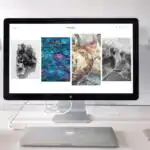
- Computers: Used for games, documents, and internet browsing.
- Tablets: Smaller and portable, great for reading, watching videos, and gaming.
- Smartphones: Mobile phones for internet access, photos, and games.
- Smartwatches: Worn on the wrist for fitness tracking,timekeeping,and calls.
- Interactive Whiteboards: large touchscreens for teaching and learning.
- Digital Cameras: Used to take photos and videos.
- E-book Readers: For reading digital books.
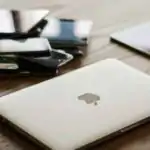
- Laptops: Portable computers for work and school.
- Printers: Used to print documents and images.
Examples of IT Devices
Many different IT devices exist, used for various purposes. Here are some examples:
The following are:
- Computers: Used in schools, offices, and homes for many tasks.
- Tablets: often used for entertainment, but also for work and education.
- Smartphones: Used for communication,entertainment,and navigation.
- Smartwatches: Used for fitness tracking, communication, and timekeeping.
- Television: Used for entertainment and information.
- Gaming Consoles: Used for playing video games.
- Projectors: Used for presentations and displaying images.
Teaching methods
To deliver this lesson, the teacher will adopt the following methods: Discussion, Question and answer, Show and tell (using pictures and real examples)
Instructional Procedures
To deliver this lesson, the teacher will adopt the following steps:
Step 1: Introduction
Time: 5 minutes
Teaching Skill: Questioning
Teacher’s Activity: Ask pupils about electronic devices they use.
Pupils’ Activity: Respond to teacher’s questions,sharing their experiences.
Step 2: Clarification of Key Concepts
Time: 10 minutes
Teaching Skill: Explaining
Teacher’s Activity: Define IT devices and give examples.Pupils’ Activity: Listen attentively and ask clarifying questions.
Step 3: Exhibition/Guided Practice
Time: 10 minutes
Teaching Skill: Demonstrating
Teacher’s Activity: Show pictures of different IT devices and discuss their uses.
Pupils’ Activity: Identify the devices and participate in the discussion.
Step 4: Self-reliant Practice
Time: 5 minutes
Teaching Skill: Monitoring
Teacher’s activity: Ask pupils to name four IT devices.
Pupils’ Activity: individually list four IT devices.
Step 5: Note-Taking
Time: 5 minutes
Teaching Skill: Guiding
teacher’s Activity: Guide pupils in writing key points in their notebooks.
Pupils’ Activity: Write down key points and examples.
Step 6: Evaluation/Review
Time: 5 minutes
Teaching Skill: Assessing
Teacher’s Activity: Ask evaluation questions.
Pupils’ Activity: Answer the evaluation questions.
Step 7: Conclusion
Time: 5 minutes
Teaching Skill: Summarizing
Teacher’s activity: Summarize the key points about IT devices and their importance.
Pupils’ Activity: Listen to the summary and ask any remaining questions.
Lesson Keywords
- IT Devices – Electronic tools that help us communicate, learn, and do many other things.
- Computers – Electronic devices used for various tasks, including games, documents, and internet browsing.
- Tablets – Portable devices great for reading, watching videos, and gaming.
- Smartphones – Mobile phones for internet access, photos, and games.
Lesson Evaluation
To evaluate the learning, the teacher asks pupils to:
- Name four examples of IT devices.
- Why are IT devices vital in our lives?
- How are IT devices used in our daily lives?
- Can you think of any other examples of IT devices?
Assignment/Homework
- Draw your favorite IT device.
- Write a sentence about how you use your favorite IT device.
Differentiation
- For slower learners: Provide one-on-one assistance and use simpler language.
- For advanced learners: Encourage them to research and present additional examples of IT devices.
- For visual/auditory/kinesthetic learners: Use pictures, discussions, and hands-on activities to cater to different learning styles.
Note for Teachers
Ensure to bring real-life examples or pictures of IT devices to make the lesson more engaging. Encourage pupils to share their experiences with different IT devices to foster a collaborative learning environment.

Community 1 comment Open discussion +