

Class: Primary Two
Term: Third Term
Subject: Basic Science and Technology
Curriculum Theme: Computer Studies
Previous Lesson: Uses Of A Digital Wristwatch
Topic: uses of IT Devices
Content/Learning Area: Identify different IT devices and their functions, Show interest and thankfulness for the role of IT devices in everyday life, Discuss with peers about how IT devices help in learning and playing
Time Allocation: 40 minutes
Performance Objectives
By the end of the lesson, pupils should be able to:
- Cognitive Domain:
1. Identify different IT devices and their functions.
2. Explain how IT devices are used for learning,interaction,entertainment,details gathering,creative expression,and association.
- Psychomotor Domain:
1. Use IT devices appropriately and safely.
- Affective Domain:
1. Show interest and appreciation for the role of IT devices in everyday life.
- Social Domain:
1. Discuss with peers about how IT devices help in learning and playing.
Reference Materials
- 9 – Years Basic Education curriculum
- Abuja Educational Resource Center Scheme of Work
- NAPPS national Unified Scheme of Work
- Relevant Textbooks
Instructional Materials
To deliver this lesson, the teacher will employ the help of the following materials:
- Whiteboard or chart paper
- Markers or pens
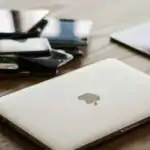
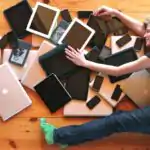
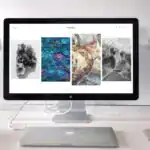
- Pictures or examples of different IT devices (smartphones, tablets, laptops)
Rationale for the Lesson
understanding IT devices is crucial for navigating the modern world. This lesson provides a foundation for future learning in computer studies and helps pupils appreciate the role of technology in daily life.
Prerequisite/Previous Knowledge
The teacher will start by asking pupils what they know about computers and other electronic devices they use at home or school. A brief discussion will follow, leading into the lesson’s topic.
Lesson Content
Uses of IT Devices
We use IT devices like smartphones, tablets, and laptops in many ways:
Learning
IT devices aid learning through various applications and resources.These include:
- Educational apps help us learn new languages, solve math problems, and read books.
- We can access online educational resources.
- Interactive simulations can demonstrate complex scientific concepts.
- Digital libraries provide access to a vast collection of books and articles.
Dialog
IT devices facilitate communication through various means. These include:
- We can call, message, email, and video chat with friends and family.
- Social media platforms allow us to connect with people worldwide.
- Instant messaging apps enable speedy and easy communication.
- Video conferencing tools allow for virtual meetings and collaborations.
Entertainment
IT devices provide various forms of entertainment. These include:
- We can watch videos, listen to music, and play games.
- Streaming services offer a wide range of movies and TV shows.
- E-books provide access to countless stories and novels.
- interactive games provide engaging and immersive experiences.
Information Gathering
IT devices are essential for gathering information quickly and efficiently. These include:
- We can easily find information on the internet.
- Search engines provide access to a vast amount of data.
- online encyclopedias offer detailed information on various topics.
- News websites keep us updated on current events.
Creative Expression
IT devices enable creative expression through various tools and applications. These include:
- We can create drawings, stories, presentations, and edit photos and videos.
- Graphic design software allows for creating digital art.
- Video editing software enables the production of movies and short films.
- Music production software allows for composing and recording music.
Organization
IT devices help us stay organized through various tools and applications. These include:
- We can use calendars and reminders to stay organized.
- Task management apps help us keep track of our to-do lists.
- Note-taking apps allow us to record and organize our thoughts and ideas.
- Cloud storage services enable us to access our files from anywhere.
Teaching Methods
To deliver this lesson, the teacher will adopt the following methods: discussion, Question and answer, Visual aids
Instructional Procedures
To deliver this lesson, the teacher will adopt the following steps:
Step 1: Introduction
Time: 5 minutes
teaching Skill: Questioning
Teacher’s Activity: Ask pupils what they know about IT devices and their uses.
Pupils’ Activity: Share their knowledge and experiences with IT devices.
step 2: Clarification of Key Concepts
Time: 10 minutes
Teaching Skill: Explaining
Teacher’s Activity: Explain the different types of IT devices (smartphones, tablets, laptops) and their basic functions.
Pupils’ Activity: Listen attentively and ask clarifying questions.
Step 3: Demonstration/Guided Practice
Time: 10 minutes
Teaching Skill: Demonstrating
Teacher’s Activity: Show pictures or examples of IT devices and discuss their uses in learning, communication, entertainment, etc.
Pupils’ Activity: Observe and participate in the discussion.
step 4: Independent Practice
time: 5 minutes
Teaching Skill: Monitoring
Teacher’s Activity: Guide pupils as they answer the evaluation questions.
Pupils’ Activity: Answer the evaluation questions individually.
Step 5: Note-Taking
Time: 5 minutes
Teaching Skill: Note-taking
Teacher’s Activity: Review key points and encourage pupils to take notes.Pupils’ Activity: Take notes on the key concepts and examples.
Step 6: Evaluation/Review
time: 5 minutes
Teaching Skill: questioning
teacher’s Activity: Review the lesson and answer any remaining questions.
Pupils’ Activity: Ask questions and participate in the review.
Objective-aligned checks:
- Identify different IT devices and their functions.
- Explain how IT devices are used for learning,interaction,entertainment,details gathering,creative expression,and association.
- Use IT devices appropriately and safely.
Step 7: Conclusion
time: 5 minutes
Teaching Skill: Summarizing
Teacher’s Activity: Summarize the key points and encourage pupils to use IT devices responsibly and safely.
Pupils’ Activity: Listen to the summary and ask any remaining questions.
Lesson Keywords
- IT Devices – Electronic tools used for various tasks like communication, learning, and entertainment.
- Smartphones – Mobile phones with advanced computing capabilities.
- Tablets – Portable computing devices with touchscreens.
- Laptops – Portable computers suitable for various tasks.
- Communication – The process of conveying information.
- Entertainment – Activities that provide enjoyment and amusement.
- Learning – The process of acquiring knowledge or skills.
- Organization – The ability to keep things in order and structured.
Lesson Evaluation
To evaluate the learning, the teacher asks pupils to:
- Name three IT devices we discussed today.
- How can a smartphone help you with your homework?
- Give an example of how a tablet can be used for entertainment.
- How can IT devices help us learn new things?
- What are some ways IT devices help us communicate?
Assignment/Homework
- List five different ways you can use a computer at home.
- Write a short paragraph about how IT devices have made your life easier.
- Draw a picture of your favorite IT device and label its parts.
- Ask your parents about the IT devices they use at work and write them down.
- Find an educational app on a tablet or smartphone and describe what you learned from it.
Differentiation
- For slower learners: Provide one-on-one assistance and use simpler language.
- For advanced learners: Encourage them to research additional uses of IT devices.
- For visual/auditory/kinesthetic learners: Use visual aids, audio recordings, and hands-on activities to cater to different learning styles.
Note for Teachers
Ensure to use real-life examples and visual aids to make the lesson engaging and relatable for the pupils. Encourage active participation and questions to ensure understanding.
Community Join the conversation Open discussion +