

Class: Primary Two
Term: Third Term
Subject: Basic science and Technology
Curriculum Theme: Computer Studies
Previous Lesson:
Topic: Smart Phones
Content/Learning Area: Definition of Smart phone, What is a Smart Phone?, Parts of a Smart Phone, How Smart Phones are used
Time Allocation: 40 minutes
Performance objectives
By the end of the lesson, pupils should be able to:
- Cognitive Domain:
1. Define a smart phone.
2. Identify different parts of a smart phone.
3. Explain how smart phones are used.
- Psychomotor Domain:
1. Operate a smart phone (under supervision).
- Affective Domain:
1. Appreciate the role of smart phones in daily life.
2. Discuss responsible smart phone use.
- Social Domain:
1. Share their experiences using smart phones.
Reference Materials
- 9 – Years Basic Education Curriculum
- Abuja Educational Resource Center scheme of Work
- NAPPS National Unified Scheme of Work
- Online details
- Relevant Textbooks
Instructional Materials
To deliver this lesson, the teacher will employ the help of the following materials:
- Whiteboard or chart
- markers or pens
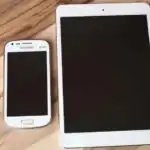
- Pictures of smart phones
- A real smart phone (optional)
Rationale for the Lesson
understanding smart phones is crucial in today’s world. This lesson provides a foundation for future lessons on technology and responsible digital citizenship.
Prerequisite/Previous Knowledge
The teacher will begin by asking pupils what they know about mobile phones. A brief discussion will follow, leading into the definition of a smart phone.
Lesson Content
Definition of Smart Phone
A smart phone is a mobile phone with many computer-like capabilities.It typically has a touchscreen, internet access, and an operating system for running apps.
What is a Smart Phone?
Smart phones are more powerful than regular phones.They can:
The following are some of the things smart phones can do:
- Make calls and send texts
- Access the internet
- Play games
- Take pictures and videos
- Use social media
- Use GPS for navigation
- Listen to music
- Watch videos
- Send emails
- Manage calendars
Parts of a Smart Phone
A smart phone is made up of several parts that enable it to function effectively.
These include:
- Screen: Displays apps, pictures, and videos.
- Buttons: Control the phone (power, volume, home).
- Camera: Takes pictures and videos.
- Microphone: Records audio.
- Speaker: Plays audio.
- Charging port: Connects to a charger.
- Headphone jack: Connects headphones.
- SIM card slot: Holds the SIM card for network connectivity.
- Memory card slot: Allows for expandable storage.
How Smart Phones are Used
Smart phones have various uses in our daily lives.
Examples are:
- Dialog: Calling, texting, video chatting.
- Facts: internet access, searching, news.
- Entertainment: Games, videos, music, books.
- Productivity: Scheduling, reminders, notes.
- Navigation: GPS for directions.
- Education: Accessing educational apps and resources.
- Banking: Mobile banking and financial transactions.
- Shopping: Online shopping and price comparisons.
Teaching Methods
To deliver this lesson, the teacher will adopt the following methods: Discussion, explanation, Question and Answer.
Instructional Procedures
To deliver this lesson, the teacher will adopt the following steps:
Step 1: introduction (Set Induction)
Time: 5 minutes
Teaching Skill: questioning
Teacher’s Activity: Asks pupils what they know about mobile phones.
Pupils’ Activity: Share their knowledge and experiences.
Step 2: Explanation of Key Concepts
Time: 10 minutes
Teaching Skill: Explanation
Teacher’s Activity: Defines a smart phone and explains its key features.
Pupils’ Activity: listen attentively and ask clarifying questions.
Step 3: Exhibition/Guided Practice
Time: 10 minutes
Teaching Skill: Exhibition
Teacher’s Activity: Shows pictures of smart phones and points out key parts.
Pupils’ Activity: Identify the parts of the smart phone.
Step 4: Autonomous Practice
Time: 5 minutes
Teaching Skill: Guided Practice
Teacher’s Activity: Asks pupils to list the parts of a smart phone.
Pupils’ activity: List the parts of a smart phone.
Step 5: Note-Taking
Time: 5 minutes
Teaching Skill: Note-Taking
Teacher’s Activity: Guides pupils in taking notes on key concepts.
Pupils’ Activity: take notes on key concepts.
Step 6: Evaluation/Review
Time: 5 minutes
Teaching Skill: Questioning
Teacher’s Activity: Asks review questions.pupils’ Activity: Answer review questions.
Objective-aligned checks:
- Define a smart phone.
- Identify different parts of a smart phone.
- Explain how smart phones are used.
Step 7: Conclusion
Time: 5 minutes
teaching Skill: Summarizing
Teacher’s Activity: Summarizes the key points of the lesson.
Pupils’ Activity: Listen and ask any remaining questions.
Lesson Keywords
- Smart Phone – A mobile phone with computer-like capabilities.
- Touchscreen – A display that responds to touch.
- Apps – Software applications that run on smart phones.
- GPS – Global Positioning System for navigation.
- Internet – A global network connecting devices.
Lesson Evaluation
To evaluate the learning, the teacher asks pupils to:
- What is a smart phone?
- Name three parts of a smart phone.
- How do you or your family use a smart phone?
- What are some other things a smart phone can do?
- Why are smart phones popular?
Assignment/Homework
- Draw a smart phone and label its parts.
- List five ways you can use a smart phone for learning.
- Ask your parents how they use their smart phones and write down three uses.
Differentiation
- For slower learners: Provide one-on-one assistance and simplified explanations.
- For advanced learners: Encourage them to research additional uses of smart phones and present their findings to the class.
- For visual/auditory/kinesthetic learners: use visual aids, verbal explanations, and hands-on activities to cater to different learning styles.
Note for Teachers
Ensure to use real-life examples and demonstrations to make the lesson engaging and relatable for the pupils. Encourage active participation and questions to assess understanding.


Community Join the conversation Open discussion +