Class: Primary Two
Term: First Term
Subject: Basic Science and Technology
Curriculum Theme: Computer Studies
Previous Lesson: Meaning of Computer
Topic: History of Computer
Content/Learning Area: Explain how computers came into existence, Identify some of the key figures and inventions that shaped the growth of computers, Describe how computers have changed our lives
Time Allocation: (Time allocation needs to be added hear)
Performance Objectives
By the end of the lesson, pupils should be able to:
- Cognitive Domain:
- Explain how computers came into existence.
- Identify some of the key figures and inventions that shaped the development of computers.
- Describe how computers have changed our lives.
- Affective Domain:
- (Add an affective objective related to appreciating the impact of computers,if applicable)
- Psychomotor Domain:
- (Add a psychomotor objective related to using computers or related technology,if applicable)
- Social Domain:
- (Add a social objective related to collaboration or dialog using computers,if applicable)
Reference Materials
- 9 – Years Basic Education Curriculum
- Abuja Educational Resource Center Scheme of Work
- NAPPS National Unified Scheme of Work
- Relevant Textbooks
Instructional Materials
To deliver this lesson,the teacher will use the following materials:
- Whiteboard or chart paper
- markers or pens
- (Add other relevant materials here)
rationale for the Lesson
Understanding the history of computers helps pupils appreciate technological advancements and their impact on society. This knowledge forms a foundation for future learning in computer studies and related fields.
Prerequisite/Previous Knowledge
The teacher will start by asking pupils what they already know about computers and their uses in everyday life. A brief discussion will follow, leading into the lesson’s topic.
Lesson Content
What is a Computer?
A computer is a programmable machine that can perform various tasks, including storing, processing, and retrieving information.
Early Calculating Tools
Early calculating tools were instrumental in the evolution of computers, paving the way for modern digital devices.Thes include:
- The Abacus: A manual calculating device using beads to represent numbers. Invented in ancient Mesopotamia, it’s still used in some parts of the world.
- The Slide Rule: A mechanical analog computer using sliding scales for mathematical calculations. Invented in the 17th century, it was widely used until electronic calculators became available. Learn more about early calculators here.
- Napier’s Bones: A manually-operated calculating device created by John Napier of Merchiston for calculation of products and quotients of numbers.
- Mechanical Calculator: A calculating device that performs basic arithmetic operations automatically.
Key Figures and Inventions
Several key figures and inventions have significantly shaped the development of computers. These include:
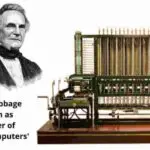
- Charles Babbage: An English mathematician and inventor often credited with designing the first general-purpose computer, the Analytical Engine (though never fully built).
- ada Lovelace: An English mathematician and writer considered the first computer programmer for writing a program for Babbage’s Analytical Engine.
- ENIAC: The first electronic digital computer, built in the 1940s. It was a large machine used for calculating ballistic trajectories during World War II.
- The Transistor (1950s): Led to smaller, more powerful computers.
- the Microprocessor (1970s): made personal computers possible.
- John Von Neumann: Developed the stored-program concept, which allowed computers to store instructions in their memory.
- Grace Hopper: A pioneer in computer programming who developed the first compiler.
How Computers Have changed Our Lives
Computers have revolutionized various aspects of our lives, bringing about significant changes. These include:
- interaction: Easier and faster communication worldwide through email, instant messaging, and video conferencing.
- Education: Essential learning tool providing access to information and enabling creation of presentations and assignments.
- Entertainment: Transformed entertainment with video games, movies, and music.
- Healthcare: Used for disease diagnosis, patient monitoring, and surgery.
- Buisness: Streamlined operations, enhanced productivity, and facilitated e-commerce.
- Transportation: Improved navigation systems, traffic management, and automated driving technologies.
Teaching Methods
To deliver this lesson, the teacher will adopt the following methods: Discussion, Explanation, Question and Answer.
Instructional Procedures
To deliver this lesson, the teacher will adopt the following steps:
Step 1: Introduction
Time: (Add time allocation)
teaching Skill: Set Induction
Teacher’s Activity: Engage students in a brief discussion about their experiences with computers.
Pupils’ Activity: Share their experiences and ideas about computers.
Step 2: Explanation of Key concepts
Time: (Add time allocation)
teaching Skill: Explanation, Presentation
Teacher’s Activity: Explain the definition of a computer and introduce early calculating tools like the abacus and slide rule.
Pupils’ Activity: Listen attentively and ask clarifying questions.
Step 3: Exhibition/Guided Practice
Time: (Add time allocation)
Teaching Skill: Demonstration, Guided Practice
Teacher’s Activity: Show pictures or models of the abacus and slide rule, explaining their functions.
Pupils’ Activity: Observe the demonstration and participate in a brief guided practice using simple calculations.
Step 4: self-Reliant Practice
Time: (Add time allocation)
Teaching Skill: Independent Practice
Teacher’s Activity: Provide simple tasks or questions related to the early calculating tools.
Pupils’ Activity: Complete the tasks independently.
Step 5: Note-Taking
Time: (Add time allocation)
Teaching Skill: Note-Taking
Teacher’s Activity: Guide pupils in taking notes on key concepts and figures in the history of computers.
Pupils’ Activity: Take notes on key concepts and figures.
step 6: Evaluation/Review
Time: (Add time allocation)
Teaching Skill: Questioning,Review
Teacher’s Activity: Ask questions to assess understanding and review key concepts.
Pupils’ Activity: Answer questions and participate in the review.
Objective-aligned checks:
- Explain how computers came into existence.
- Identify some of the key figures and inventions that shaped the development of computers.
- Describe how computers have changed our lives.
step 7: Conclusion
time: (Add time allocation)
Teaching Skill: Summarizing
Teacher’s Activity: Summarize the lesson and assign homework (if applicable).
Pupils’ Activity: Listen attentively and note down homework.
Lesson Keywords
- Abacus – An ancient calculating tool using beads.
- Slide Rule – A mechanical analog computer.
- ENIAC – The first electronic digital computer.
- Transistor – A semiconductor device used to amplify or switch electronic signals and electrical power.
- microprocessor – An integrated circuit that contains the central processing unit of a computer.
Lesson Evaluation
To evaluate the learning, the teacher asks pupils to:
- Name two early calculating tools.
- Who is considered the “father of computers”? Why?
- What was the ENIAC and what was it’s purpose?
- How have computers changed the way we communicate?
- Give one positive impact of computers on society.
Assignment/Homework
- Research and write a short paragraph about another key figure in the history of computers.
- List three ways computers are used in your home or community.
Differentiation
- For slower learners: Provide one-on-one assistance and simplified explanations.
- For advanced learners: Offer extension activities, such as researching specific computer inventions or creating presentations.
- For visual/auditory/kinesthetic learners: Use visual aids, audio recordings, and hands-on activities to cater to different learning styles.
Note for Teachers
To ensure effective teaching, provide clear explanations, use visual aids, and encourage active participation from all pupils. Adapt the lesson to suit the specific needs and learning styles of the pupils in the class.