

Class:
Primary One
Term: Third term
Subject: Basic Science and Technology
Curriculum Theme: Computer Studies
Previous Lesson: Meaning and Uses of Liquid Dispensers
Topic: Common I.T Devices
Content/Learning Area: Identifying and naming common I.T Devices
Time Allocation: 40 minutes
Performance Objectives
By the end of the lesson, pupils should be able to:
- Cognitive Domain:
1. Identify common I.T devices.
2. Name common I.T devices.
3. Describe the functions of common I.T devices.
- Affective Domain:
1. Show interest in learning about I.T devices.
2. Appreciate the importance of I.T devices.
- Psychomotor Domain:
1. Operate basic I.T devices (with supervision).
- Social Domain:
1. Work cooperatively with peers during activities.
Reference Materials
- 9 – Years Basic Education Curriculum
- Abuja Educational Resource Center Scheme of Work
- NAPPS National Unified Scheme of Work
- relevant textbooks
Instructional Materials
To deliver this lesson, the teacher will use the following materials:
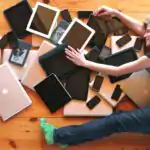
- Pictures of common I.T devices (computers, laptops, tablets, smartphones).
- Whiteboard or chart paper.
- Markers.
rationale for the Lesson
This lesson introduces pupils to common I.T devices, laying a foundation for future learning in computer studies and digital literacy. Understanding these devices is crucial for navigating the modern world.
Prerequisite/Previous Knowledge
Pupils have likely encountered electronic devices at home or school.
Lesson Content
common I.T Devices
Common I.T devices are electronic tools we use to process facts. Here are some examples:
computers
Computers are powerful machines that can perform manny tasks, such as playing games, browsing the internet, and creating documents. More information here.
laptops
Laptops are portable computers that are smaller and lighter than desktop computers.Learn more.
Tablets
Tablets are touch-screen devices that are even smaller and more portable than laptops. find out more.
Smartphones
Smartphones are mobile phones that can also be used to access the internet,take pictures,and play games. Read more.
Other Common I.T Devices
Other examples of common I.T devices include:
- Printers: Used to produce hard copies of documents and images.
- Scanners: Used to convert physical documents and images into digital formats.
- Digital Cameras: Used to capture photographs and videos.
- Smart TVs: Televisions with built-in internet connectivity and smart features.
- Gaming Consoles: Devices used for playing video games.
Teaching Methods
To deliver this lesson, the teacher will adopt the following methods: Discussion, Question and Answer, Show and Tell.
Instructional Procedures
To deliver this lesson, the teacher will adopt the following steps:
Step 1: Introduction
Time:
5 minutes
Teaching Skill: Set Induction
Teacher’s Activity: Asks pupils about electronic devices thay use.
Pupils’ Activity: Respond to the teacher’s questions.
Step 2: Clarification of Key Concepts
Time:
10 minutes
Teaching Skill: Explaining
Teacher’s Activity: Explains what I.T devices are and shows pictures of examples.
Pupils’ Activity: Listen attentively and observe the pictures.
Step 3: Exhibition/Guided Practise
Time:
10 minutes
Teaching Skill: Demonstrating
Teacher’s Activity: Shows and explains the functions of each I.T device.
Pupils’ Activity: Participate in the discussion and ask questions.
Step 4: Self-reliant Practice
Time:
5 minutes
Teaching Skill: Monitoring
Teacher’s Activity: Guides pupils as they identify and name I.T devices from pictures.
Pupils’ activity: Identify and name I.T devices.
Step 5: Note-Taking
Time:
5 minutes
Teaching Skill: Note-taking
Teacher’s Activity: Guides pupils in writing down key points about I.T devices.
Pupils’ Activity: Write down key points.
Step 6: Evaluation/Review
Time:
5 minutes
teaching Skill: Questioning
Teacher’s Activity: Asks evaluation questions.
Pupils’ Activity: Answer the evaluation questions.
Objective-aligned checks:
- Identify common I.
- Name common I.
- Describe the functions of common I.
Step 7: Conclusion
Time:
2 minutes
Teaching Skill: Summarizing
Teacher’s activity: Summarizes the key points about common I.T devices and their importance.
Pupils’ Activity: Listen attentively.
Lesson Keywords
- I.T Device – Electronic tools used to process information.
- Computer – A programmable machine that performs calculations and processes data.
- Laptop – A portable computer suitable for mobile use.
- Tablet – A wireless, portable personal computer with a touchscreen interface.
- Smartphone – A mobile phone with advanced computing capabilities.
Lesson Evaluation
To evaluate the learning, the teacher asks pupils to:
- What is an I.T device?
- Name three common I.T devices and describe what they do.
- How are I.T devices useful?
- Can you think of other I.T devices we use every day?
- Why are I.T devices vital?
Assignment/Homework
- Draw pictures of three different I.T devices.
- Ask your parents or guardians about the I.T devices they use at home and write them down.
- Write one sentence about how each of the I.T devices you listed is useful.
Differentiation
- For slower learners: Provide one-on-one assistance and use simpler language.
- For advanced learners: Encourage them to research and present information on additional I.T devices.
- For visual/auditory/kinesthetic learners: Use visual aids, verbal explanations, and hands-on activities to cater to different learning styles.
Note for Teachers
Ensure to bring real-life examples or pictures of I.T devices to make the lesson more engaging. Encourage pupils to share their experiences with these devices. Emphasize responsible and safe use of I.T devices.



Community Join the conversation Open discussion +