

Class: Primary 6
Term: Third Term
Subject: computer Studies
Curriculum Theme: Computer Studies
Previous Lesson:
Topic: IT Gadgets
Content/Learning Area: Meaning of IT gadgets; Classification of common IT gadgets – computers, laptops, iPad, iTab
Time Allocation: 40 Minutes
Performance Objectives
By the end of the lesson, pupils should be able to:
- Cognitive Domain: Define IT gadgets.
- Affective Domain: Show interest in learning about different types of IT gadgets.
- Psychomotor Domain: Identify and classify common IT gadgets.
- Social Domain: Collaborate with peers to discuss the uses of IT gadgets.
Reference Materials
- 9 Years Basic Education Curriculum
- Abuja Educational Resource Center Scheme of work
- NAPPS National Unified Scheme of Work
- Computer Studies for Primary Schools, Book 6
- Introduction to Computer Science
Instructional Materials
to deliver this lesson, the teacher will use the following materials: Real IT gadgets (computers, laptops, tablets), pictures of IT gadgets, and a whiteboard.
Rationale for the Lesson
Understanding IT gadgets is crucial in today’s technology-driven world, enabling pupils to interact effectively with digital tools.
Prerequisite/Previous Knowledge
Pupils are familiar with basic electronic devices like phones and televisions.
Lesson Content
IT Gadgets
IT gadgets are electronic devices used to access, process, store, and transmit information. They play a significant role in modern dialog, education, and entertainment.
Classification of Common IT Gadgets
Common IT gadgets can be classified into several categories:
- Computers – Desktop computers are used for a wide range of tasks, from word processing to gaming.
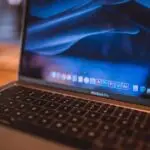
- Laptops – Portable computers that offer similar functionality to desktops but can be easily transported.
- Tablets (iPad,iTab) – Mobile devices with touchscreens,used for browsing,entertainment,and productivity.
- Smartphones – mobile phones with advanced computing capabilities,including internet access and app support.
- E-readers – Devices designed primarily for reading digital books.
- Smartwatches – Wearable devices that offer features like fitness tracking and notifications.
- Gaming Consoles – Devices specifically designed for playing video games.
- Digital Cameras – Devices used for capturing still images and videos.
Teaching Methods
To deliver this lesson, the teacher will adopt the following methods: Clarification,Exhibition,Visual Aids,Discussion.
Instructional Procedures
To deliver this lesson, the teacher will adopt the following steps:
Step 1: Introduction
Time: 5 minutes
Teaching Skill: Set Induction
Teacher’s Activity: Greets the pupils, reviews the previous lesson on basic computer components, and introduces the topic of IT gadgets by asking what electronic devices they use daily.
pupils’ Activity: Respond to the greeting,recall information from the previous lesson,and share examples of electronic devices they use.
Step 2: Defining IT Gadgets
Time: 10 minutes
teaching Skill: Explanation
Teacher’s Activity: Explains the meaning of IT gadgets and their importance in modern life, providing examples and clarifying any misconceptions.
Pupils’ Activity: Listen attentively,ask questions for clarification,and take notes on the definition of IT gadgets.
Step 3: Display and Identification
Time: 10 minutes
Teaching Skill: Demonstration
Teacher’s Activity: Presents real IT gadgets (computers, laptops, tablets) or pictures of them, and guides pupils in identifying and naming each gadget.
Pupils’ activity: Observe the gadgets, participate in identifying them, and describe their uses.
Step 4: Classification Discussion
Time: 10 minutes
Teaching Skill: Discussion
Teacher’s Activity: Facilitates a discussion on the classification of common IT gadgets, explaining the differences between computers, laptops, and tablets.
Pupils’ activity: Participate in the discussion, share their understanding of the different types of IT gadgets, and ask relevant questions.
Step 5: Note-Taking
Time: 2 minutes
Teaching Skill: Summarization
Teacher’s Activity: Guides pupils to write down key points from the lesson in their notebooks.
Pupils’ Activity: Write down the key points in their notebooks.
Step 6: Evaluation/Review
Time: 2 minutes
Teaching Skill: Assessment
Teacher’s activity: Asks questions to assess pupils’ understanding of the lesson.
Pupils’ Activity: Answer the questions asked by the teacher.
Step 7: Conclusion
Time: 1 minute
Teaching Skill: Closure
Teacher’s Activity: Summarizes the main points of the lesson and assigns homework.
pupils’ Activity: listen to the summary and note down the homework assignment.
Lesson Keywords
- IT Gadgets – Electronic devices used to access, process, store, and transmit information.
- Computers – Electronic devices that process data according to a set of instructions.
- Laptops – Portable computers that combine the components and functions of a desktop computer into a single unit.
- Tablets – Mobile computing devices with a touchscreen display.
- Smartphones – Mobile phones with advanced computing capabilities.
Lesson Evaluation
To evaluate the learning,the teacher asks pupils to:
- Define IT gadgets in their own words.
- Name three different types of IT gadgets.
- Explain the difference between a computer and a laptop.
Assignment/Homework
- List five different IT gadgets you can find in your home.
- Write a short paragraph on how IT gadgets have made your life easier.
Differentiation
- For slower learners: Provide simplified definitions and focus on identifying the basic IT gadgets.
- For advanced learners: Encourage them to research and present on emerging IT gadgets and their applications.
- For visual/auditory/kinesthetic learners: Use visual aids, interactive discussions, and hands-on activities with real gadgets.
Note for Teachers
Ensure to bring real IT gadgets or clear pictures to enhance pupils’ understanding.Encourage active participation and provide clear explanations to cater to different learning styles.



Community Join the conversation Open discussion +