

Class: Primary one
Term: First Term
Subject: Basic Science and Technology
curriculum Theme: Computer Studies
Previous Lesson:
Topic: Printers
Content/Learning Area: Identifying a printer, stating the diffrent types of printers, understanding the functions of a printer.
Time Allocation: 40 minutes
Performance Objectives
By the end of the lesson, pupils should be able to:
- Cognitive Domain:
1. Identify a printer.
2.State the different types of printers.
3. Explain the functions of a printer.
- Affective Domain:
1. Show interest in learning about printers.
2. Appreciate the importance of printers.
- Psychomotor Domain:
1. Point out a printer in a picture.
- Social Domain:
1. Work cooperatively with classmates.
Reference Materials
- 9 – years Basic Education Curriculum
- Abuja Educational Resource Center Scheme of Work
- NAPPS National Unified Scheme of work
- Relevant Textbooks
Instructional Materials
To deliver this lesson, the teacher will use the following materials:
- Pictures of different types of printers
- Whiteboard or chart paper
- Markers
Rationale for the Lesson
Understanding printers is crucial for primary school pupils as it introduces them to basic computer technology and its applications in everyday life. This knowledge will be beneficial in future lessons and helps them understand how technology works.
Prerequisite/Previous Knowledge
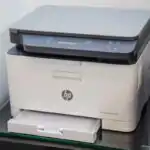
The teacher will start by asking pupils if they have ever seen a printer before and what they know about it. The teacher will then show pictures of different printers to generate interest and curiosity.
lesson Content
printers
Printers are devices that create printed copies of documents or images.
Types of Printers
Printers come in various forms, each designed for specific purposes and offering unique features. The following are examples of types of printers:
- Inkjet printer: These use ink cartridges to spray ink onto paper. They are ofen used at home and in offices.
- Laser printer: These use a laser beam to create an image on a drum, then transferred to paper. They are known for speed and high-quality prints.
- Dot matrix printer: These use a print head with pins to strike an inked ribbon, creating dots on the paper. They are often used for receipts and labels.
- Thermal Printer: These printers use heat to transfer an image onto special thermal paper, commonly used for receipts and labels due to their compact size and efficiency.
- 3D Printer: These advanced printers create three-dimensional objects from digital designs by layering materials such as plastic, resin, or metal, widely used in manufacturing, prototyping, and education.
Functions of a Printer
Printers perform several essential functions, making them indispensable tools in homes, offices, and various industries. these include:
- Printing Text: Printers print letters,numbers,and words.
- Printing Pictures: Printers also print pictures and images.
- Making Copies: Printers can make multiple copies of documents.
- connecting to devices: printers connect to computers, laptops, or tablets to print work.
- Printing Labels: Printers can produce labels for organizing files, addressing envelopes, or labeling products.
- Creating Transparencies: Some printers can print on transparency film for overhead projectors, useful for presentations and educational purposes.
Teaching Methods
To deliver this lesson, the teacher will adopt the following methods: Discussion, Question and answer, Show and tell
Instructional Procedures
To deliver this lesson, the teacher will adopt the following steps:
Step 1: Introduction (Set Induction)
Time: 5 minutes
Teaching Skill: Questioning
Teacher’s Activity: Asks pupils if they have seen a printer before and what they know about it. Shows pictures of different printers.
Pupils’ Activity: Respond to teacher’s questions and observe the pictures.
Step 2: Description of Key Concepts
Time: 10 minutes
Teaching Skill: Explaining
Teacher’s Activity: Explains what a printer is and its main function.
Pupils’ Activity: Listen attentively and ask questions.
Step 3: Demonstration/Guided Practice
Time: 10 minutes
Teaching Skill: demonstrating
Teacher’s Activity: Shows pictures of different types of printers (inkjet,laser,dot matrix) and explains their differences.
Pupils’ Activity: Observe the pictures and listen to the explanation.
step 4: Self-reliant Practice
Time: 5 minutes
Teaching Skill: Guiding
Teacher’s Activity: Asks pupils to identify the types of printers shown in the pictures.
Pupils’ Activity: Identify the types of printers.
Step 5: Note-Taking
Time: 5 minutes
Teaching Skill: Note-taking
Teacher’s Activity: Guides pupils to write down key points about printers in their notebooks.
Pupils’ Activity: Write down key points.
Step 6: Evaluation/Review
Time: 5 minutes
Teaching skill: Questioning
Teacher’s Activity: Asks evaluation questions to assess pupils’ understanding.
Pupils’ Activity: Answer the evaluation questions.
Objective-aligned checks:
- Identify a printer.
- State the different types of printers.
- Explain the functions of a printer.
Step 7: Conclusion
Time: 2 minutes
Teaching Skill: Summarizing
Teacher’s Activity: summarizes the key points of the lesson.
Pupils’ Activity: Listen to the summary.
Lesson Keywords
- Printer – A device that produces a hard copy of documents or images.
- Inkjet – A type of printer that uses ink cartridges.
- Laser – A type of printer that uses a laser beam to create images.
- Dot matrix – A type of printer that uses pins to create dots on paper.
- Printing – The process of producing text or images on paper.
Lesson Evaluation
To evaluate the learning, the teacher asks pupils to:
- What is a printer?
- Name three types of printers.
- What are some things you can print with a printer?
- How does a printer connect to a computer?
Assignment/Homework
- Draw and label different types of printers.
- Write a short paragraph about the importance of printers in everyday life.
Differentiation
- For slower learners: Provide one-on-one assistance and use simpler language.
- For advanced learners: Encourage them to research other types of printers and their features.
- For visual/auditory/kinesthetic learners: Use visual aids, verbal explanations, and hands-on activities to cater to different learning styles.
Note for Teachers
Ensure to use real-life examples and visual aids to make the lesson engaging and understandable for primary one pupils. Encourage active participation and provide positive reinforcement.

Community 1 comment Open discussion +