

Class: Primary Three
Term: second Term
Subject: Basic Science and Technology
Curriculum Theme: Computer Studies
Previous Lesson: Output Devices, The Monitor
Topic: Output Devices
Content/Learning Area: Defining a printer, Listing functions of a printer, Appreciating the importance of printers
Time Allocation: 40 minutes
Performance Objectives
By the end of the lesson, pupils should be able to:
- Cognitive Domain:
1. Define a printer.
2. List at least two functions of a printer.
3. Explain the importance of printers in daily life.
- affective Domain:
1. Show appreciation for the role of printers.
- Psychomotor Domain:
1. Identify a printer in a picture.
- Social Domain:
1. Work collaboratively in group activities.
Reference Materials
- 9 – Years Basic Education curriculum
- Abuja educational Resource Centre Scheme of Work
- NAPPS National Unified Scheme of Work
- Relevant Textbooks
Instructional Materials
To deliver this lesson, the teacher will use the following materials:
- Pictures of different types of printers
- Whiteboard or chart paper
- Markers
Rationale for the Lesson
understanding output devices like printers is crucial for pupils to grasp the complete computer system. This knowledge is applicable in their daily lives and future studies.
Prerequisite/Previous Knowledge
The teacher will start by asking pupils what they know about computers and how we get information from them. The teacher will then introduce the concept of a printer as a way to get information from a computer onto paper.
Lesson Content
The Printer
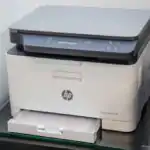
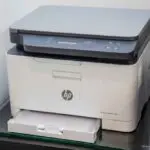
A printer is a device that creates a physical copy of digital information from a computer. It transforms digital data into something you can touch and hold.
Functions of a Printer
Printers have many uses:
These include:
- Printing documents, such as homework or stories.
- Producing photographs, like those from your phone.
- Creating school assignments,like drawings or reports.
- Making copies of vital information, like notes or receipts.
- designing and printing artwork, like posters or greeting cards.
- Printing receipts for transactions in shops and banks.
- Printing tickets for events, transportation, and entertainment.
How a Printer Produces Output
A printer is an output device that produces a hard copy of text or images from digital data. Inkjet printers spray tiny drops of ink; laser printers use toner and heat. A printer needs power, a connection or network, the correct driver or settings and paper or another suitable material.
Before printing, use print preview, choose the page range and check paper size. Do not touch hot internal parts or pull jammed paper while the printer is operating.
Teaching Methods
To deliver this lesson, the teacher will adopt the following methods: Question and answer, Discussion, Demonstration (using pictures).
Instructional Procedures
To deliver this lesson,the teacher will adopt the following steps:
Step 1: Introduction
Time: 5 minutes
Teaching Skill: Set Induction
Teacher’s Activity: Asks pupils what they know about computers and how we get information from them onto paper.
Pupils’ Activity: Respond to the teacher’s questions.
Step 2: Explanation of Key Concepts
Time: 10 minutes
Teaching Skill: Explaining
Teacher’s Activity: Explains what a printer is and its basic function.
Pupils’ activity: Listen attentively and ask clarifying questions.
Step 3: Demonstration/Guided Practice
Time: 10 minutes
Teaching Skill: Demonstrating
Teacher’s Activity: Shows pictures of different types of printers and discusses their functions.
pupils’ Activity: Observe the pictures and participate in the discussion.
Step 4: Self-reliant Practice
Time: 5 minutes
Teaching Skill: Guiding
Teacher’s Activity: Guides pupils to list the functions of a printer.Pupils’ Activity: List the functions of a printer individually or in small groups.
Step 5: Note-Taking
Time: 5 minutes
Teaching Skill: Note-taking
Teacher’s Activity: Guides pupils to write down key points about printers.
Pupils’ Activity: Write down key points in their notebooks.
Step 6: Evaluation/Review
Time: 5 minutes
Teaching Skill: Questioning
Teacher’s Activity: Asks evaluation questions to assess understanding.
Pupils’ activity: Answer the evaluation questions.
Objective-aligned checks:
- Define a printer.
- List at least two functions of a printer.
- Explain the importance of printers in daily life.
Step 7: Conclusion
Time: 5 minutes
Teaching Skill: Summarizing
Teacher’s Activity: Summarizes the key points about printers and their importance.
Pupils’ Activity: Listen to the summary and ask any remaining questions.
Lesson Keywords
- Printer – A device that produces a physical copy of digital information.
- Output Device – A device that displays or produces information from a computer.
- Document – A written or printed piece of information.
- Photograph – A picture made using a camera.
- Digital Information – Data stored in a computer.
Lesson Evaluation
To evaluate the learning, the teacher asks pupils to:
- What is a printer?
- Name two things a printer can do.
- Why are printers useful?
- Can you think of other uses for printers?
- What are some different kinds of printers?
Assignment/Homework
- Find pictures of different types of printers and bring them to class.
- Write a short paragraph about why printers are important in schools or offices.
- Ask your parents or guardians about how they use printers at home or work.
Differentiation
- For slower learners: Provide one-on-one assistance and simplified explanations.
- For advanced learners: Encourage them to research different types of printers and their specific uses.
- For visual/auditory/kinesthetic learners: Use visual aids, verbal explanations, and hands-on activities to cater to different learning styles.
Note for Teachers
Ensure to use real-life examples and visual aids to make the lesson engaging and relatable for the pupils. Encourage active participation and provide constructive feedback.


Community Join the conversation Open discussion +