

Class: Primary Two
Term: First Term
Subject: Basic Science and Technology
Curriculum Theme: Computer Studies
Previous Lesson: Features of a Monitor
topic: Uses of the Monitor
Content/Learning Area: What is a Monitor?, Features of a monitor, Different Uses of Monitors
Time Allocation: 40 minutes
Performance Objectives
By the end of the lesson, pupils should be able to:
- Cognitive Domain:
1. List two features of a monitor.2. Identify different uses of monitors.
3. Explain how monitors are used in everyday life.
- Affective Domain:
1. Show interest in learning about monitors.
- Psychomotor Domain:
1. None
- Social Domain:
1. Participate actively in class discussions.
Reference Materials
- 9 – Years basic Education Curriculum
- Abuja Educational Resource Center Scheme of Work
- NAPPS National Unified Scheme of Work
- Relevant Textbooks
Instructional Materials
To deliver this lesson, the teacher will employ the help of the following materials:
- Whiteboard or chart
- Markers or chalk
- Pictures of different monitors
Rationale for the Lesson
understanding the uses of monitors is crucial for pupils to grasp the basic functionalities of computers and other electronic devices. This knowledge will be beneficial in their future studies and everyday life.
Prerequisite/Previous Knowledge
The teacher will start by asking pupils what they already know about computers and what part of the computer they see most often. The teacher will then introduce the topic of monitors as the focus of the lesson.
Lesson Content
What is a Monitor?
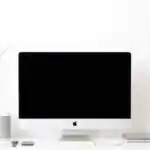
A monitor is an electronic device with a screen that displays information from a computer or other electronic device. It’s like a window showing what’s happening inside.
Features of a Monitor
A monitor has several features that determine the quality of the displayed image. These include:
- Screen Size: Measured diagonally in inches. Larger screens are better for movies or playing games.
- Resolution: The number of pixels (tiny dots) creating the image. Higher resolution means a sharper picture.
- Brightness: How radiant the screen is. Brighter screens are better for well-lit areas.
- Contrast: difference between the darkest and lightest parts. Higher contrast means a more vibrant picture.
- Refresh Rate: How many times per second the image updates. Higher refresh rates are better for fast-paced games and videos.
- Response Time: How quickly pixels change color. Faster response times are better for fast-paced content.
- Panel Type: Different technologies like LCD, LED, and OLED affect image quality and viewing angles.
- Aspect Ratio: The ratio of the screen’s width to its height,affecting the shape of the displayed image.
Different Uses of Monitors
Monitors are used in various devices and applications to display information. These include:
- Watching TV: Monitors display images and videos in televisions.
- Using Computers: Monitors display text, images, and videos on computers.
- Playing Games: Monitors display game graphics in video game consoles and PCs.
- Surveillance: Monitors display live footage in security and traffic cameras.
- ATM Machines: Monitors display menu options and transaction information.
- Point of Sale (POS) systems: Monitors display items and costs in retail stores.
- Digital Signage: Monitors display advertisements and information in public places.
- Medical Equipment: Monitors display vital signs and diagnostic images in hospitals.
Teaching Methods
To deliver this lesson, the teacher will adopt the following methods: Question and answer, Discussion, Exhibition (using pictures)
Instructional Procedures
to deliver this lesson, the teacher will adopt the following steps:
Step 1: Introduction (Set Induction)
time: 5 minutes
Teaching Skill: questioning
Teacher’s Activity: Ask pupils what they know about computers and what part they see most often.Introduce the topic: uses of the Monitor.
Pupils’ Activity: Respond to teacher’s questions and listen attentively.
Step 2: clarification of Key Concepts
Time: 10 minutes
Teaching Skill: Explaining
Teacher’s Activity: Explain what a monitor is and its basic features using pictures.
Pupils’ Activity: Listen attentively and ask questions.
Step 3: Demonstration/Guided Practice
Time: 10 minutes
Teaching Skill: demonstrating
Teacher’s Activity: Show pictures of different monitors and discuss their uses in everyday life.
Pupils’ Activity: Observe and participate in discussions.
Step 4: Self-reliant Practice
Time: 5 minutes
Teaching Skill: Guiding
Teacher’s Activity: Guide pupils to answer the evaluation questions individually.
Pupils’ activity: Answer the evaluation questions.
Step 5: Note-Taking
Time: 5 minutes
Teaching Skill: Summarizing
Teacher’s Activity: Summarize the key points of the lesson.
Pupils’ Activity: Take notes.
step 6: Evaluation/Review
time: 5 minutes
Teaching Skill: Assessing
Teacher’s Activity: Review the answers to the evaluation questions.
Pupils’ Activity: Participate in the review.
Objective-aligned checks:
- List two features of a monitor.
- Identify different uses of monitors.
- Explain how monitors are used in everyday life.
step 7: Conclusion
time: 2 minutes
Teaching Skill: Summarizing
Teacher’s Activity: Summarize the key points and assign homework.
Pupils’ Activity: Listen and note the homework.
Lesson Keywords
- Monitor – An electronic device that displays images and information.
- Resolution – The clarity of the image on the screen.
- Brightness – How radiant the screen is.
- Screen Size – The diagonal measurement of the monitor’s display area.
- Display – To show or exhibit something on a screen.
Lesson Evaluation
To evaluate the learning, the teacher asks pupils to:
- What is a monitor?
- Name three features of a monitor.
- What are two common uses of monitors?
- Can you think of any other uses for monitors?
- Why are monitors critically meaningful in our daily lives?
Assignment/Homework
- Draw a picture of a monitor.
- List three uses of monitors in everyday life.
- Explain why monitors are important in our daily lives.
Differentiation
- For slower learners: Provide one-on-one assistance and use simpler language.
- For advanced learners: Encourage them to research and present additional uses of monitors.
- For visual/auditory/kinesthetic learners: Use visual aids, verbal explanations, and hands-on activities to cater to different learning styles.
Note for Teachers
Ensure to use real-life examples and visual aids to help pupils understand the uses of monitors.Encourage active participation and provide constructive feedback.


Community Join the conversation Open discussion +