

Class: Senior Secondary School 1 (SS1, SS 1, SSS1, SSS 1)
Term: 2nd Term
Week: 2
Age: 15 years
Duration: 45 minutes
Subject: Computer Studies
Curriculum Theme: Computer Studies
Previous Lesson: Output Devices I.
Topic: Output Devices: Printers
Subject Matter: Printers as output devices; impact printers (dot matrix, line printers, character printers); non-impact printers (inkjet, laser jet, thermal); comparative study of common printers
Specific Objectives
By the end of the lesson, pupils should be able to:
Cognitive Domain:
- Define a printer as an output device.
- Classify printers into impact and non-impact printers.
- List examples of impact printers and non-impact printers.
- State features of dot matrix, inkjet, laser jet, and thermal printers.
- Compare common printers based on speed, print quality, cost, and noise level.
Affective Domain:
- Show careful attitude when handling printers and printing materials.
- Demonstrate responsible use of printing resources such as paper and ink/toner.
Psychomotor Domain:
- Identify different printer types displayed in class or on charts.
- Carry out basic printer operation under guidance (power on, connect, send a simple print job).
- Observe printed output and describe differences in quality.
Social Domain:
- Work in groups to observe printer features and share findings.
- Take turns during printer operation and practical tasks.
Reference Materials
The following resources were used in planning this lesson:
- 9 Years Basic Education Curriculum
- State Unified Scheme of Work
- New Computer Studies for Senior Secondary Schools (SSS 1)
- GCFLearnFree: Basic Parts of a Computer
- Encyclopaedia Britannica: Printer
- Computer Hope: Printer
Instructional Materials
The teacher will teach this lesson with the aid of:
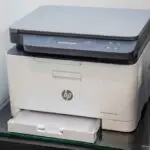
- Different types of printers (if available): dot matrix, inkjet, laser printer
- Computer system with printer connection cable (USB or network)
- Printer paper and sample printed pages
- Charts/pictures of printer types and parts
Rationale for the Lesson
Printers are common output devices used in schools, offices, and business centres for producing hard copies of information. Understanding printer types and their differences helps pupils choose the right printer for a task and use printing equipment safely.
Prerequisite/Previous Knowledge
Pupils have seen printed documents before and can identify a printer as a device used to print on paper.
Lesson Content/Board Summary
Output Devices: Printers
Meaning of a Printer
A printer is an output device that produces a hard copy of text and images from a computer on paper or other printable material.
Classification of Printers
Printers are broadly classified into the following:
- Impact printers
- Non-impact printers
Impact Printers
Impact printers produce print by striking an inked ribbon against paper, making noise during printing.
The following are types/examples of impact printers:
- Dot matrix printer
- Line printer
- Character printer
Dot Matrix Printer
A dot matrix printer prints by striking pins against an ink ribbon to form letters and images as dots.
The following are features of a dot matrix printer:
- Produces characters using dots and pins
- Can print multi-part forms using carbon copies
- Print quality is generally low compared to modern printers
- Noisy during operation
Line Printer
A line printer prints an entire line of text at once, mainly used for bulk printing.
The following are features of a line printer:
- Very fast for printing many pages
- Often used in large organizations for reports
- Low to average print quality
Character Printer
A character printer prints one character at a time.
The following are features of a character printer:
- Prints slowly compared to line printers
- Used for simple text printing in older systems
Non-Impact Printers
Non-impact printers produce print without striking the paper, so they are usually quiet and produce better print quality.
The following are types/examples of non-impact printers:
- Inkjet printer
- Laser jet printer
- Thermal printer
Inkjet Printer
An inkjet printer sprays tiny droplets of liquid ink onto paper to form text and images.
The following are features of an inkjet printer:
- Good colour printing for pictures
- Moderate speed depending on model
- Uses ink cartridges
- Suitable for home and small office use
Laser Jet Printer
A laser jet printer uses a laser beam and toner powder to produce high-quality prints.
The following are features of a laser jet printer:
- High speed printing
- Very clear text output
- Uses toner cartridge
- Suitable for offices and heavy printing
Thermal Printer
A thermal printer produces print by applying heat to special paper or thermal film.
The following are features of a thermal printer:
- Often used for receipts and tickets
- Quiet and fast for small prints
- Uses thermal paper (prints may fade with time if exposed to heat)
Comparative Study of Common Printers
The following are common points for comparing printers:
- Speed: line and laser printers are faster than dot matrix and many inkjets.
- Print quality: laser and inkjet produce better quality than dot matrix.
- Noise level: impact printers are noisy; non-impact printers are quiet.
- Cost of printing: dot matrix can be cheaper for multi-part forms; laser is cost-effective for high-volume text; inkjet can be costly for heavy colour printing.
- Best use: dot matrix for forms, inkjet for colour images, laser for office documents, thermal for receipts.
Teaching Methods/Instructional Techniques
Discussion, Lecture, Demonstration, Question and Answer, Visual Aids
Instructional Procedures
Step 1: Introduction
Time: 5 minutes
Teaching Skill: Set Induction
Teacher’s Activity: The teacher shows printed materials (receipt, document, picture printout) and asks pupils which device produced them, then introduces printers as output devices.
Pupils’ Activity: Pupils respond and describe where they have seen printers used.
Learning Point: Printers produce hard copies from a computer.
Step 2: Meaning of a Printer
Time: 6 minutes
Teaching Skill: Explanation
Teacher’s Activity: The teacher defines a printer and explains hard copy output with simple examples.
Pupils’ Activity: Pupils copy the definition and mention items that can be printed.
Learning Point: A printer is an output device that prints information on paper.
Step 3: Classification of Printers
Time: 7 minutes
Teaching Skill: Questioning and Explanation
Teacher’s Activity: The teacher explains impact and non-impact printers and guides pupils to classify displayed printers or chart examples under the two groups.
Pupils’ Activity: Pupils classify printer types and write the two main classes in their notes.
Learning Point: Printers are classified into impact and non-impact printers.
Step 4: Impact Printers and Types
Time: 9 minutes
Teaching Skill: Explanation with Visual Aids
Teacher’s Activity: The teacher explains impact printers and discusses dot matrix, line, and character printers with features and uses.
Pupils’ Activity: Pupils list types of impact printers and state key features.
Learning Point: Impact printers print by striking an ink ribbon against paper.
Step 5: Non-Impact Printers and Types
Time: 9 minutes
Teaching Skill: Explanation and Demonstration
Teacher’s Activity: The teacher explains non-impact printers and discusses inkjet, laser jet, and thermal printers, highlighting features and uses.
Pupils’ Activity: Pupils list non-impact printer types and give examples of where each is used.
Learning Point: Non-impact printers print without striking paper and are usually quieter.
Step 6: Comparative Study and Practical Operation
Time: 4 minutes
Teaching Skill: Guided Practice
Teacher’s Activity: The teacher guides pupils to compare common printers using speed, quality, cost, and noise, then demonstrates basic printer operation and allows a short guided practice by pupils.
Pupils’ Activity: Pupils observe differences, then operate the printer under guidance (send a simple print job) and observe the output.
Learning Point: Different printers have different strengths and suitable uses.
Step 7: Evaluation/Review
Time: 5 minutes
Teaching Skill: Questioning/Assessment
Teacher’s Activity: The teacher evaluates the learning by asking the following questions:
- Define a printer as an output device.
- State the two broad classes of printers.
- List two examples each of impact and non-impact printers.
- Compare inkjet and laser jet printers using two points.
Pupils’ Activity: Pupils answer orally and in writing.
Learning Point: Pupils demonstrate understanding of the lesson.
Step 8: Conclusion
Time: 0 minutes
Teaching Skill: Summarization
Teacher’s Activity: The teacher summarizes printer meaning, classification, types, and comparison, then gives an assignment: draw a simple table comparing dot matrix, inkjet, and laser printers using speed, quality, noise, and best use.
Pupils’ Activity: Pupils copy the summary and assignment.
Learning Point: Printers are output devices with different types and uses.
Lesson Keywords
- Printer – An output device that produces hard copies on paper.
- Hard copy – Printed output on paper.
- Impact printer – A printer that prints by striking an ink ribbon against paper.
- Non-impact printer – A printer that prints without striking paper.
- Dot matrix – An impact printer that forms characters using pins and dots.
- Inkjet – A non-impact printer that sprays liquid ink onto paper.
- Laser jet – A non-impact printer that uses toner and laser to print.
- Thermal printer – A printer that uses heat on special paper to print.
Differentiation
Pupils who need support will focus on defining printers and classifying them into impact and non-impact with examples, while advanced pupils will compare printer types using multiple criteria and explain best use cases for each printer.
Note for teachers using this lesson plan
Ensure safety and proper handling of printers, cables, and paper before practical operation. Keep the board summary exam-focused by using short definitions and clear lists for types, features, and comparisons. If real printers are not available, use clear charts and printed samples to show differences in output quality.

Community Join the conversation Open discussion +