

Class: Senior Secondary School 1 (SS1, SS 1, SSS1, SSS 1)
Term: 2nd Term
Week: 1
Age: 15 years
Duration: 45 minutes
Subject: Computer Studies
Curriculum Theme: Computer Studies
Previous Lesson: .
Topic: Output Devices
Subject Matter: Definition of output devices; examples of output devices (monitor, printer, speaker, plotter); features and uses of output devices; monitor structure, types and functions; monochrome and colour monitors
Specific Objectives
By the end of the lesson, pupils should be able to:
Cognitive Domain:
- Define output devices.
- List examples of output devices such as monitor, printer, speaker, and plotter.
- State the uses of common output devices.
- Describe the structure and functions of a monitor.
- Differentiate between monochrome and colour monitors.
Affective Domain:
- Show interest in using output devices responsibly in the computer laboratory.
- Demonstrate careful handling of output devices, especially the monitor and speakers.
Psychomotor Domain:
- Identify output devices displayed in class.
- Switch on a monitor correctly and observe the display.
- Point out basic parts of a monitor on a real system or diagram.
Social Domain:
- Work in small groups to identify output devices and share observations.
- Take turns during practical identification and monitor switching activity.
Reference Materials
The following resources were used in planning this lesson:
- 9 Years Basic Education Curriculum
- State Unified Scheme of Work
- New Computer Studies for Senior Secondary Schools (SSS 1)
- GCFLearnFree: Basic Parts of a Computer
- Computer Hope: Output Device
- Encyclopaedia Britannica: Computer Monitor
Instructional Materials
The teacher will teach this lesson with the aid of:
- Monitor (desktop monitor or laptop screen for demonstration)
- Speakers
- Charts/pictures showing output devices and monitor types
- Computer system and power source
Rationale for the Lesson
Output devices are the main way a computer presents results to users through display, sound, and printed information. Understanding them helps pupils use computers for learning, communication, and simple tasks like typing and printing.
Prerequisite/Previous Knowledge
Pupils have seen a computer system before and can identify basic devices like the monitor and speakers.
Lesson Content/Board Summary
Output Devices
Definition of Output Devices
An output device is a hardware component that receives processed information from the computer and presents it to the user in a usable form such as text, pictures, sound, or printed copy.
Examples of Output Devices
The following are examples of output devices:
- Monitor (Visual Display Unit)
- Printer
- Speakers/Headphones
- Plotter
Features and Uses of Common Output Devices
The following are features and uses of common output devices:
- Monitor: displays text, images, videos, and the user interface on the screen.
- Printer: produces hard copy output on paper such as documents and pictures.
- Speakers: produce sound output such as voice, music, alerts, and multimedia audio.
- Plotter: produces large drawings such as maps, architectural plans, and engineering designs.
Monitor: Structure and Functions
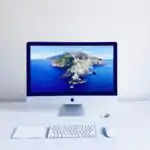
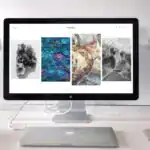
A monitor is an output device that displays information on a screen.
The following are main parts/areas commonly found on a monitor:
- Screen/display panel: shows images and text.
- Power button and indicator light: turns the monitor on/off and shows power status.
- Control buttons/menu: adjusts brightness, contrast, and display settings.
- Ports/connectors: connect the monitor to the system unit (examples: HDMI, VGA, DisplayPort).
- Stand/base: supports the monitor and allows positioning.
The following are functions of a monitor:
- Displays the results of processing for the user to see.
- Shows the working environment such as the desktop, icons, and windows.
- Displays images, video, charts, and presentations during learning and work.
Types of Monitors
The following are common types of monitors:
- CRT monitor: bulky monitor that uses a cathode ray tube.
- LCD monitor: flat screen monitor that uses liquid crystal display.
- LED monitor: flat screen monitor that uses light-emitting diode backlighting.
Monochrome and Colour Monitors
The following are differences between monochrome and colour monitors:
- Monochrome monitor: displays output in one colour (often black/white or green/black) without full colour.
- Colour monitor: displays output in many colours, making pictures and videos clearer and more realistic.
Teaching Methods/Instructional Techniques
Discussion, Lecture, Demonstration, Question and Answer, Visual Aids
Instructional Procedures
Step 1: Introduction
Time: 5 minutes
Teaching Skill: Set Induction
Teacher’s Activity: The teacher shows a monitor and speakers (or pictures) and asks pupils to mention what they are used for, then introduces the topic as output devices.
Pupils’ Activity: Pupils identify the devices and state what they do based on experience.
Learning Point: Output devices present computer results to the user.
Step 2: Definition of Output Devices
Time: 7 minutes
Teaching Skill: Explanation
Teacher’s Activity: The teacher defines output devices and explains that they show processed information as display, sound, or printed copy.
Pupils’ Activity: Pupils copy the definition and give simple examples.
Learning Point: Output devices receive processed data from the computer and present it in useful form.
Step 3: Examples of Output Devices
Time: 8 minutes
Teaching Skill: Demonstration
Teacher’s Activity: The teacher displays or shows pictures of monitor, printer, speakers, and plotter and guides pupils to list them correctly.
Pupils’ Activity: Pupils identify each device and list examples in their notes.
Learning Point: Common output devices include monitor, printer, speakers, and plotter.
Step 4: Features and Uses of Output Devices
Time: 8 minutes
Teaching Skill: Explanation and Questioning
Teacher’s Activity: The teacher explains the uses of each output device and asks pupils to match device names with their uses.
Pupils’ Activity: Pupils respond by stating uses and giving everyday examples (printing notes, listening to audio, viewing videos).
Learning Point: Different output devices serve different output needs: display, print, sound, and large drawings.
Step 5: Monitor Structure, Types, and Functions
Time: 7 minutes
Teaching Skill: Demonstration
Teacher’s Activity: The teacher explains the parts of a monitor using the real monitor or a chart, states monitor functions, and introduces common monitor types (CRT, LCD, LED).
Pupils’ Activity: Pupils point to parts on the monitor/diagram and copy notes on types and functions.
Learning Point: A monitor has identifiable parts, performs display functions, and exists in different types.
Step 6: Practical Activity (Switching on the Monitor and Observation)
Time: 5 minutes
Teaching Skill: Guided Practice
Teacher’s Activity: The teacher guides pupils to switch on the monitor correctly and observe the display, then discusses monochrome and colour monitors using examples or pictures.
Pupils’ Activity: Pupils take turns switching on the monitor and describe what they see on the screen.
Learning Point: Monitors display output, and displays can be monochrome or colour.
Step 7: Evaluation/Review
Time: 5 minutes
Teaching Skill: Questioning/Assessment
Teacher’s Activity: The teacher evaluates the learning by asking the following questions:
- Define an output device.
- List four examples of output devices.
- State two functions of a monitor.
- Differentiate between monochrome and colour monitors.
Pupils’ Activity: Pupils answer orally and in writing.
Learning Point: Pupils demonstrate understanding of the lesson.
Step 8: Conclusion
Time: 0 minutes
Teaching Skill: Summarization
Teacher’s Activity: The teacher summarizes the meaning of output devices, examples, uses, and monitor structure/types, then gives an assignment: write five output devices and state one use for each; draw a simple monitor and label three parts.
Pupils’ Activity: Pupils copy the summary and assignment.
Learning Point: Output devices and monitor features support effective computer use.
Lesson Keywords
- Output device – A hardware device that presents processed information from the computer to the user.
- Monitor – An output device that displays text and images on a screen.
- Printer – An output device that produces hard copy output on paper.
- Speakers – Output devices that produce sound from the computer.
- Plotter – An output device used for producing large drawings and designs.
- Monochrome monitor – A monitor that displays output in one colour.
- Colour monitor – A monitor that displays output in many colours.
Differentiation
Pupils who need support will focus on defining output devices and listing examples, while advanced pupils will compare monitor types (CRT, LCD, LED) and explain practical uses of each output device in school and business.
Note for teachers using this lesson plan
Use real devices where available and ensure safe handling of the monitor and speakers during demonstrations. Keep the board summary short and exam-focused, emphasizing definition, examples, uses, and monitor parts/types. Manage group turns during practical activities to maintain order and avoid damage to equipment.


Community Join the conversation Open discussion +