

Class: Senior Secondary School 1 (SS1, SS 1, SSS1, SSS 1)
Term: 3rd Term
Week: 3
Age: 15 years
Duration: 45 minutes
Subject: Computer Studies
Curriculum Theme: Computer Studies
Previous Lesson: Communication Systems II.
Topic: COMMUNICATION SYSTEMS
Subject Matter: data processing system, global positioning system GPS, applications of ICT, teleconferencing, video conferencing, telepresence, telecommunications and networking, telecomputing, messaging, information search retrieval and archival
Specific Objectives
By the end of the lesson, pupils should be able to:
Cognitive Domain:
- Define a communication system.
- Explain the concept of a data processing system.
- Describe the Global Positioning System (GPS) and its uses.
- List at least five applications of ICT in various sectors.
- Differentiate between teleconferencing, video conferencing, and telepresence.
- Explain the terms telecommunications and networking.
- Discuss the concept of telecomputing.
- Identify different types of messaging services.
- State methods of information search, retrieval, and archival.
Affective Domain:
- Appreciate the importance of communication systems in modern society.
- Show interest in exploring new communication technologies.
- Recognize the impact of ICT on daily life and various industries.
Psychomotor Domain:
- Identify common ICT-based gadgets used for communication.
- Demonstrate basic use of a messaging application.
- Locate information using a simple search engine.
Social Domain:
- Collaborate with peers to discuss different communication technologies.
- Share ideas on how ICT can improve communication and information sharing.
Reference Materials
The following resources were used in planning this lesson:
- 9 Years Basic Education Curriculum for Computer Studies.
- State Unified Scheme of Work for Senior Secondary School Computer Studies.
- Olaoye, J.A. (2018). Comprehensive Computer Studies for Senior Secondary Schools. Aflon Limited.
Instructional Materials
The teacher will teach this lesson with the aid of:
- A computer
- A television or projector
- Internet connectivity
- Various ICT-based gadgets (e.g., mobile phone, GPS device, laptop)
- Pictures illustrating communication systems and ICT applications
Rationale for the Lesson
This lesson helps pupils understand how information is shared and processed in the modern world. It enables them to recognize the various tools and systems that facilitate communication, which are important for their daily lives and future careers.
Prerequisite/Previous Knowledge
Pupils have a basic understanding of computers, their components, and some simple uses of technology learned in previous classes.
Lesson Content/Board Summary
COMMUNICATION SYSTEMS
A communication system is a collection of individual communication networks, transmission systems, relay stations, tributary stations, and data terminal equipment capable of interconnected operation to form an integral whole.
Data Processing System
A data processing system is a system that performs operations on data to convert it into meaningful information. It involves a series of steps to collect, process, and present data.
The main stages of data processing include:
- Input: Collecting raw data.
- Processing: Manipulating the data to create information.
- Output: Presenting the processed information.
- Storage: Keeping data for future use.
Global Positioning System (GPS)
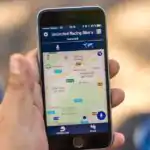
The Global Positioning System (GPS) is a satellite-based navigation system that provides location, velocity, and time synchronization. It helps users determine their exact position on Earth.
Key uses of GPS include:
- Navigation for vehicles and pedestrians.
- Tracking of assets and people.
- Mapping and surveying.
- Emergency services location.
Applications of ICT
Information and Communication Technology (ICT) has numerous applications across various sectors:
- Education: E-learning, online research, virtual classrooms.
- Health: Telemedicine, electronic health records, medical research.
- Business: E-commerce, online banking, digital marketing.
- Entertainment: Online gaming, streaming services, social media.
- Security: Surveillance systems, data encryption, national security.
- Government: E-governance, public service delivery, national databases.
Teleconferencing, Video Conferencing, and Telepresence
These are technologies that allow people in different locations to communicate and collaborate.
- Teleconferencing: An audio-only meeting involving multiple participants in different locations via telephone lines.
- Video Conferencing: A meeting that includes both audio and video communication among participants in different locations.
- Telepresence: An advanced form of video conferencing that creates an immersive, life-size, and high-fidelity virtual meeting experience, making participants feel as if they are in the same room.
Telecommunications and Networking
Telecommunications: The transmission of information over long distances using technology, such as telephone, radio, television, or the internet.
Networking: The practice of connecting computers and other devices to allow them to share data, applications, and resources.
Common types of networks include:
- Local Area Network (LAN): Connects devices within a limited area, like a school or office building.
- Wide Area Network (WAN): Connects devices over a large geographical area, often spanning cities or countries.
Telecomputing
Telecomputing refers to the use of computers and other devices connected over a network (especially the internet) to perform computing tasks. It includes concepts like cloud computing, where resources and services are delivered over the internet.
Messaging
Messaging refers to the exchange of short digital messages between users.
Types of messaging services include:
- SMS (Short Message Service): Text messages sent via mobile networks.
- Email (Electronic Mail): Digital messages sent over the internet.
- Instant Messaging: Real-time text-based communication (e.g., WhatsApp, Telegram).
- Social Media Messaging: Messaging features integrated into social media platforms (e.g., Facebook Messenger, Instagram Direct).
Information Search, Retrieval, and Archival
These are processes related to managing information.
- Information Search: The process of finding specific information or resources using tools like search engines (e.g., Google, Bing).
- Information Retrieval: The act of accessing and obtaining previously stored information from databases or storage systems.
- Information Archival: The long-term storage of data and documents that are no longer actively used but may be needed for future reference, compliance, or historical purposes.
Teaching Methods/Instructional Techniques
Discussion, Lecture, Demonstration, Question and Answer, Visual Aids
Instructional Procedures
Step 1: Introduction
Time: 5 minutes
Teaching Skill: Set Induction
Teacher’s Activity: The teacher greets the pupils and asks them to mention different ways they communicate with friends and family who are far away. The teacher then links their responses to the topic of communication systems.
Pupils’ Activity: Pupils respond by mentioning phone calls, text messages, video calls, etc.
Learning Point: Pupils recall prior knowledge of communication methods and are introduced to the lesson topic.
Step 2: Explanation of Communication Systems and Data Processing
Time: 7 minutes
Teaching Skill: Explanation/Lecture
Teacher’s Activity: The teacher defines communication systems and explains the concept of a data processing system, highlighting its stages (input, processing, output, storage) using simple examples.
Pupils’ Activity: Pupils listen attentively, take notes, and ask questions for clarification.
Learning Point: Pupils understand the definitions of communication systems and data processing systems.
Step 3: Introduction to Global Positioning System (GPS)
Time: 5 minutes
Teaching Skill: Explanation/Demonstration
Teacher’s Activity: The teacher explains what GPS is, how it works, and lists its various applications. The teacher may show a GPS device or a phone with a map application to illustrate.
Pupils’ Activity: Pupils observe the demonstration, listen, and identify the uses of GPS.
Learning Point: Pupils learn about GPS and its practical applications.
Step 4: Exploring Applications of ICT
Time: 7 minutes
Teaching Skill: Discussion/Brainstorming
Teacher’s Activity: The teacher leads a discussion on various application areas of ICT, encouraging pupils to identify how ICT is used in education, health, business, and other sectors. The teacher lists their contributions on the board.
Pupils’ Activity: Pupils actively participate by giving examples of ICT applications they know or have observed.
Learning Point: Pupils understand the wide range of ICT applications in modern society.
Step 5: Understanding Teleconferencing, Video Conferencing, and Telepresence
Time: 6 minutes
Teaching Skill: Explanation/Comparative Analysis
Teacher’s Activity: The teacher explains and differentiates between teleconferencing, video conferencing, and telepresence, highlighting their features and uses. The teacher uses visual aids if available.
Pupils’ Activity: Pupils listen, observe, and note the differences between the conferencing types.
Learning Point: Pupils can distinguish between different types of remote conferencing technologies.
Step 6: Telecommunications, Networking, Telecomputing, and Messaging
Time: 8 minutes
Teaching Skill: Lecture/Question and Answer
Teacher’s Activity: The teacher defines telecommunications and networking, explaining common network types (LAN, WAN). The teacher then explains telecomputing and discusses various messaging services, asking pupils to name examples of each.
Pupils’ Activity: Pupils listen, answer questions about messaging services, and take notes on the definitions.
Learning Point: Pupils grasp the concepts of telecommunications, networking, telecomputing, and different messaging types.
Step 7: Evaluation/Review
Time: 5 minutes
Teaching Skill: Questioning/Assessment
Teacher’s Activity: The teacher evaluates the learning by asking the following questions:
- What is a communication system?
- Mention two applications of ICT in education.
- Differentiate between teleconferencing and video conferencing.
- List three types of messaging services.
Pupils’ Activity: Pupils answer orally and in writing.
Learning Point: Pupils demonstrate understanding of the lesson.
Step 8: Conclusion
Time: 2 minutes
Teaching Skill: Summarization
Teacher’s Activity: The teacher summarizes the key points of the lesson, emphasizing the importance of communication systems and ICT in daily life. The teacher assigns homework, asking pupils to research and write about how ICT is used in two different local businesses.
Pupils’ Activity: Pupils listen to the summary, ask final questions, and note down the homework.
Learning Point: Pupils consolidate their understanding and are encouraged to explore the topic further.
Lesson Keywords
- Communication System – A network of devices and channels for transmitting information.
- Data Processing System – A system that processes raw data into meaningful information.
- GPS (Global Positioning System) – A satellite-based system for navigation and positioning.
- ICT (Information and Communication Technology) – Technologies used for managing and communicating information.
- Teleconferencing – Audio-only meeting of multiple participants in different locations.
- Video Conferencing – Audio and video meeting of multiple participants in different locations.
- Telepresence – High-fidelity, immersive virtual meeting experience.
- Telecommunications – Transmission of information over long distances.
- Networking – Connecting devices to share resources.
- Telecomputing – Performing computing tasks over a network, especially the internet.
- Messaging – Exchange of digital messages (e.g., SMS, email).
- Archival – Long-term storage of data for future reference.
Differentiation
For pupils who grasp concepts quickly, the teacher will encourage them to research specific advanced ICT applications or prepare a short presentation on a chosen topic. For pupils who need additional support, the teacher will provide simplified explanations, use more visual aids, and pair them with stronger peers for collaborative learning and discussion.
Note for teachers using this lesson plan
Teachers should ensure that practical examples and demonstrations are used where possible to make the concepts concrete and relatable for pupils. Encourage active participation and questions to gauge understanding. Emphasize the relevance of these technologies to pupils’ everyday lives and future career paths.



Community Join the conversation Open discussion +