

Class: Primary Three
Term: Second Term
Subject: Basic Science and Technology
Curriculum Theme: Computer Studies
Previous Lesson: Components Of A System Unit, The Motherboard
Topic: Functions of the Motherboard
Content/Learning Area: What is the Motherboard?, Some of the main functions of the motherboard include:
Time Allocation: 40 minutes
Performance Objectives
By the end of the lesson, pupils should be able to:
- Cognitive Domain:
1. Explain two functions of the motherboard.
2. recognize the importance of the motherboard in a computer system.
- Affective domain:
1. Show interest in learning about computer components.
2. collaborate with peers.
- Psychomotor Domain:
1. Actively participate in class discussions.
- Social Domain:
1. Work cooperatively with classmates.
Reference Materials
- 9 – Years Basic Education Curriculum
- Abuja Educational Resource Center Scheme of Work
- NAPPS National Unified Scheme of Work
- Online details
- Relevant Textbooks
Instructional Materials
To deliver this lesson, the teacher will use the following materials: whiteboard, markers, and a chart showing a diagram of a motherboard.
Rationale for the Lesson
Understanding the motherboard is crucial for grasping how a computer functions. This knowledge forms a foundation for future lessons on more advanced computer hardware and software.
Prerequisite/Previous Knowledge
The teacher will start by asking pupils what they remember about computer systems from the previous lesson. A quick review of key components will be done, leading into a discussion about the importance of a central connecting point for all the parts.
Lesson Content
What is the Motherboard?
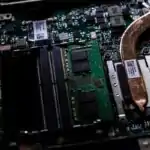
The motherboard is the main circuit board in a computer. It connects all the parts of the computer together, like a central hub.
Functions of the Motherboard
The motherboard serves as the central hub for all computer components, facilitating interaction and coordination.
Some of the main functions of the motherboard include:
- Controls and coordinates computer components: The motherboard manages how all the parts of the computer talk to each other.
- Manages data flow between different parts of the computer: It makes sure details moves quickly and smoothly between different parts.
- Connects various peripherals such as the CPU, RAM, and storage devices: It has spaces for the CPU, RAM, and places to plug in storage like hard drives.
- Enables communication between hardware components: It lets all the hardware parts communicate with each other.
- Supports the computer’s overall functionality: It’s the base that makes the whole computer work.
- Provides power distribution: It distributes power to different components of the computer.
- Offers expansion slots: It allows for adding additional components like graphic cards and sound cards.
Teaching Methods
To deliver this lesson, the teacher will adopt the following methods: explanation, Discussion, Question and Answer.
Instructional procedures
To deliver this lesson, the teacher will adopt the following steps:
Step 1: Introduction
Time: 5 minutes
Teaching Skill: Set Induction
Teacher’s Activity: Review previous lesson on computer components. Introduce the topic: “Functions of the Motherboard”.
Pupils’ Activity: Respond to teacher’s questions, listen attentively.
Step 2: Explanation of Key Concepts
Time: 10 minutes
Teaching Skill: Explanation
Teacher’s Activity: Explain what a motherboard is and its main function as the central component of a computer.
Pupils’ Activity: Listen attentively, take notes.
Step 3: Presentation/Guided Practice
Time: 10 minutes
Teaching Skill: Demonstration
Teacher’s Activity: Show a diagram of a motherboard, pointing out key components and their connections.
Pupils’ Activity: observe the diagram, ask clarifying questions.
Step 4: Independent Practice
Time: 5 minutes
Teaching Skill: Guided Practice
Teacher’s Activity: Ask pupils to list two functions of the motherboard.
Pupils’ Activity: Work individually or in pairs to list functions.
Step 5: Note-Taking
Time: 5 minutes
Teaching Skill: Note-Taking
Teacher’s Activity: Guide pupils in summarizing key points about the motherboard.
Pupils’ Activity: Write down key points in their notebooks.
Step 6: Evaluation/Review
Time: 5 minutes
Teaching Skill: Questioning
Teacher’s Activity: Ask evaluation questions.
Pupils’ Activity: Answer the evaluation questions.
Objective-aligned checks:
- Explain two functions of the motherboard.
- Show interest in learning about computer components.
Step 7: Conclusion
Time: 5 minutes
Teaching Skill: Summarizing
Teacher’s Activity: Summarize the key functions of the motherboard and assign homework.
Pupils’ Activity: Listen to the summary and note the homework assignment.
Lesson Keywords
- Motherboard – The main circuit board in a computer.
- CPU – Central Processing Unit, the brain of the computer.
- RAM – Random Access Memory, temporary storage for running programs.
- Peripherals – External devices connected to the computer.
- Data Flow – The movement of information between computer components.
Lesson Evaluation
To evaluate the learning,the teacher asks pupils to:
- What are two functions of the motherboard?
- How does the motherboard help the computer work?
- Name some parts that connect to the motherboard.
- Why is the motherboard so critically important?
- Can you think of any other jobs the motherboard does?
Assignment/Homework
- Draw a simple diagram of a motherboard.
- Label its key components.
Differentiation
- For slower learners: Provide one-on-one assistance and simplified explanations.
- For advanced learners: Encourage them to research additional functions of the motherboard.
- For visual/auditory/kinesthetic learners: Use visual aids, verbal explanations, and hands-on activities to cater to different learning styles.
Note for Teachers
Ensure to use real-life examples and analogies to explain the functions of the motherboard. Encourage pupils to ask questions and participate actively in discussions.

Community Join the conversation Open discussion +