

Class: Junior Secondary School 1 (JSS1, JSS 1)
Term: 2nd Term
Week: 2
Age: 12 years
Duration: 45 minutes
Subject: Basic Science And Technology
Curriculum Theme: Computer Studies
Previous Lesson: Computer Monitor, Its Types and Care
Topic: The System Unit
Subject Matter: Internal features of the system unit and uses: CPU and its components (CU, ALU, MM). Motherboard. Power supply. Cooling fan, etc.
External features of the system unit and uses: The power button, The reset button, The drives, The ports, etc.
Specific Objectives
By the end of the lesson, pupils should be able to:
- Cognitive Domain:
(a) Identify the internal and external features of the system unit.
(b) Describe the functions of each component of the system unit. - Affective Domain:
(a) Appreciate the importance of taking care of the computer system unit. - Psychomotor Domain:
(a) Locate and point to internal and external parts of the system unit. - Social Domain:
(a) Work cooperatively in groups during practical observation of system unit components.
Reference Materials
The following resources were used in planning this lesson:
- 9 Years Basic Education Curriculum
- Lagos State Unified Scheme of work for Junior Secondary Schools
- Britannica – “Central Processing Unit (CPU)” (https://www.britannica.com/technology/central-processing-unit)
- Relevant Textbooks
Instructional Materials
The teacher will teach this lesson with the aid of:
- Real system unit (desktop computer)
- Charts showing labeled parts of the system unit
- Flash cards with names and functions of parts
- Screwdriver for demonstration
- Projector or pictures for visual display
Rationale for the Lesson
This lesson helps pupils understand the major parts of the system unit, their functions, and how they work together to make the computer operate effectively.
Prerequisite/Previous Knowledge
Pupils have seen a computer system and can identify its basic parts such as the monitor, keyboard, and mouse.
Lesson Content/Board Summary
The System Unit
The system unit is the main body of the computer that houses most of the essential components used to process data. It contains both internal and external parts that work together to make the computer function effectively.
Internal Features of the System Unit
The internal features are the parts located inside the system unit. These parts perform various functions that help the computer operate properly.
The following are the main internal features of the system unit:
- Central Processing Unit (CPU): The CPU is the brain of the computer that controls all its operations. It consists of three major components:
- Control Unit (CU): Directs and coordinates all activities within the computer system.
- Arithmetic and Logic Unit (ALU): Performs arithmetic calculations and logical operations.
- Memory Unit (MM): Temporarily stores data and instructions during processing.
- Motherboard: This is the main circuit board where all internal components are connected. It allows communication between the CPU, memory, and other devices.
- Power Supply Unit (PSU): Converts electric power from alternating current (AC) to direct current (DC) for use by the computer components.
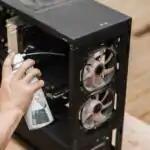
- Cooling Fan: Helps to cool down the internal components and prevent overheating.
- Hard Disk Drive (HDD): Stores data and programs permanently in the computer.
- Optical Drive: Used for reading and writing data on CDs and DVDs.
- Expansion Cards: These are used to add extra features such as sound, video, or network functions to the computer.
External Features of the System Unit
The external features are the parts located outside the system unit that allow the user to control and connect devices to the computer.
The following are the main external features of the system unit:
- Power Button: Used to switch the computer on or off.
- Reset Button: Used to restart the computer without turning off the power.
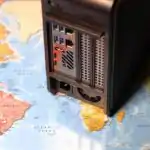
- USB Ports: Allow connection of external devices like flash drives, mouse, or keyboard.
- Audio Ports: Used to connect speakers and microphones.
- Disk Drives: Used to insert CDs, DVDs, or external storage media.
- Ventilation Openings: Allow air circulation to keep the computer cool.
- Indicator Lights: Show when the system is on or when data is being processed.
Uses of the System Unit
The system unit performs the main processing and storage functions of the computer.
The following are the major uses of the system unit:
- It processes data into meaningful information.
- It stores data, programs, and files.
- It controls the input, output, and storage devices.
- It ensures communication between all parts of the computer system.
Teaching Methods/Instructional Techniques:
Discussion, Lecture, Explanation, Demonstration, Group Work, Question and Answer, Visual Aids
Instructional Procedures
To deliver this lesson, the teacher will adopt the following steps:
Step 1: Introduction
Time: 5 minutes
Teaching Skill: Set Induction
Teacher’s Activity: Teacher displays a real system unit or picture and asks pupils to identify what it is and mention any visible parts.
Pupils’ Activity: Pupils respond by naming or describing the system unit.
Learning Point: Pupils are introduced to the topic and motivated to learn about the parts of the system unit.
Step 2: Internal Features of the System Unit
Time: 10 minutes
Teaching Skill: Explanation
Teacher’s Activity: The teacher opens the system unit and explains the internal components such as CPU, motherboard, and power supply using charts.
Pupils’ Activity: Pupils observe and listen carefully.
Learning Point: Pupils identify and understand the main internal components of the system unit.
Step 3: External Features of the System Unit
Time: 10 minutes
Teaching Skill: Demonstration
Teacher’s Activity: Teacher points to external features like the power button, ports, and drives, explaining their functions.
Pupils’ Activity: Pupils observe and take turns identifying each part.
Learning Point: Pupils recognize and can name external parts of the system unit.
Step 4: Uses of the System Unit
Time: 10 minutes
Teaching Skill: Discussion
Teacher’s Activity: Teacher leads a discussion on the uses of the system unit, connecting it to how computers are used in everyday life.
Pupils’ Activity: Pupils share ideas on how computers process and store information.
Learning Point: Pupils understand why the system unit is important for computer operation.
Step 5: Note-Taking
Time: 5 minutes
Teaching Skill: Explanation
Teacher’s Activity: Teacher writes the summarized board notes for pupils to copy.
Pupils’ Activity: Pupils copy the notes into their notebooks.
Learning Point: Pupils record the key points of the lesson.
Step 6: Evaluation/Review
Time: 3 minutes
Teaching Skill: Questioning
Teacher’s Activity: The teacher evaluates the learning by asking the following questions:
- Mention three internal features of the system unit.
- List three external features of the system unit.
- What are two uses of the system unit?
- What are the main components of the CPU?
Pupils’ Activity: Pupils answer orally.
Learning Point: Pupils demonstrate understanding of the lesson objectives.
Step 7: Conclusion
Time: 2 minutes
Teaching Skill: Reinforcement
Teacher’s Activity: Teacher summarizes the lesson and emphasizes the importance of the system unit as the heart of the computer.
Pupils’ Activity: Pupils listen attentively and ask questions where necessary.
Learning Point: Pupils appreciate the role of the system unit in computer operation.
Home Task: Record two correct examples of The System Unit from the lesson or home environment and explain each in your own words.
Lesson Keywords
- CPU – the brain of the computer that processes data
- Motherboard – the main circuit board connecting computer components
- Ports – openings for connecting external devices
- Power Supply – unit that provides electrical energy to the computer
- Cooling Fan – device that prevents overheating inside the system unit
Differentiation
Teacher provides extra guidance for slower learners through repetition and visual aids, while advanced learners assist in identifying real system parts.
Note for teachers using this lesson plan
Ensure safety when opening the system unit; disconnect power before demonstration. Use visual aids to make abstract components easier to understand.

Community Join the conversation Open discussion +