

Class: Junior Secondary School 1 (JSS 1 / JS1)
Term: 3rd Term
Week: 1
Age: 12 years
Duration: 45 minutes
Subject: Basic Science and Technology
Curriculum Theme: Computer Studies / Information Technology
Previous Lesson: .
Topic: COMPUTER PROCESSING
Subject Matter: Computer Processing
Specific Objectives
By the end of the lesson, pupils should be able to:
Cognitive Domain:
- Define computer processing.
- Identify the main component responsible for processing in a computer.
- Explain simple examples of computer processing.
Affective Domain:
- Appreciate the importance of processing in a computer system.
- Show interest in how computers transform data.
Psychomotor Domain:
- Illustrate the basic flow of data during processing.
- Point out the Central Processing Unit (CPU) on a computer system.
Social Domain:
- Discuss with peers what happens when a computer processes information.
Reference Materials
The following resources were used in planning this lesson:
- 9 Years Basic Education Curriculum for Basic Science and Technology (JSS 1-3)
- State Unified Scheme of Work for Basic Science and Technology JSS 1
- Basic Science and Technology for Junior Secondary Schools 1 (Relevant Textbook)
- https://www.computerhope.com/jargon/p/process.htm
- https://www.techopedia.com/definition/2443/processing
Instructional Materials
The teacher will teach this lesson with the aid of:
- A functional computer system (desktop or laptop)
- Charts showing the input-process-output cycle
- Pictures of the Central Processing Unit (CPU)
Rationale for the Lesson
Understanding computer processing helps pupils grasp how computers convert raw data into meaningful information. This knowledge enables pupils to better appreciate the functions of a computer in various daily tasks and prepares them for more advanced computer studies.
Prerequisite/Previous Knowledge
Pupils should have a basic understanding of what a computer is, its basic parts (input and output devices), and the concept of data.
Lesson Content/Board Summary
COMPUTER PROCESSING
Definition of Computer Processing
Computer processing is the operation performed by a computer to transform raw data into useful information. It involves taking input data, performing calculations or manipulations on it, and then producing an output.
The Central Processing Unit (CPU)
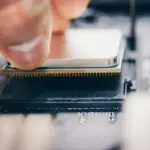
The Central Processing Unit (CPU) is often called the “brain” of the computer. It is the main component responsible for carrying out instructions, performing calculations, and managing the flow of information through the computer system.
Key functions of the CPU include:
- Executing program instructions.
- Performing arithmetic calculations (addition, subtraction, etc.).
- Performing logical operations (comparing data).
- Managing input and output operations.
Examples of Computer Processing Activities
Processing occurs in many daily computer tasks. Examples include:
- Typing a document: The computer processes key presses into characters on the screen.
- Playing a game: The computer processes game commands and displays graphics.
- Calculating sums in a spreadsheet: The computer processes numbers to give results.
- Saving a file: The computer processes the command to store data on a storage device.
- Browsing the internet: The computer processes web page data to display it.
Teaching Methods/Instructional Techniques
Discussion, Lecture, Demonstration, Question and Answer, Visual Aids
Instructional Procedures
Step 1: Introduction
Time: 5 minutes
Teaching Skill: Set Induction
Teacher’s Activity: The teacher greets the pupils, reviews the previous lesson on input and output devices, and introduces the idea that something happens between input and output.
Pupils’ Activity: Pupils respond to greetings, recall previous knowledge, and listen attentively.
Learning Point: Pupils connect previous knowledge to the new topic.
Step 2: Defining Computer Processing
Time: 7 minutes
Teaching Skill: Explanation/Definition
Teacher’s Activity: The teacher defines computer processing as the transformation of raw data into useful information, using simple language and analogies (e.g., a blender processing fruits).
Pupils’ Activity: Pupils listen, ask questions for clarification, and attempt to define processing in their own words.
Learning Point: Pupils understand the meaning of computer processing.
Step 3: The Central Processing Unit (CPU)
Time: 7 minutes
Teaching Skill: Identification/Description
Teacher’s Activity: The teacher introduces the Central Processing Unit (CPU) as the main component responsible for processing. The teacher shows pictures or a real CPU (if available) and describes its importance.
Pupils’ Activity: Pupils observe the pictures/CPU, listen to the description, and identify the CPU as the ‘brain’ of the computer.
Learning Point: Pupils identify the CPU and its role.
Step 4: Functions of the CPU
Time: 6 minutes
Teaching Skill: Elaboration
Teacher’s Activity: The teacher explains the basic functions of the CPU, such as executing instructions, performing calculations, and managing data flow, giving simple examples.
Pupils’ Activity: Pupils listen and note down the key functions of the CPU.
Learning Point: Pupils understand what the CPU does during processing.
Step 5: Examples of Processing Tasks
Time: 6 minutes
Teaching Skill: Illustration/Demonstration
Teacher’s Activity: The teacher provides various real-life examples of how a computer processes information, such as typing, playing games, or calculating. The teacher may demonstrate some of these on a computer.
Pupils’ Activity: Pupils observe the demonstrations, contribute other examples, and discuss how processing occurs in each case.
Learning Point: Pupils connect the concept of processing to everyday computer use.
Step 6: Board Summary
Time: 5 minutes
Teaching Skill: Summarization/Writing
Teacher’s Activity: The teacher writes the key points of the lesson (definitions, CPU, examples) on the board for pupils to copy into their notebooks.
Pupils’ Activity: Pupils copy the board summary into their notebooks.
Learning Point: Pupils have a concise record of the lesson content.
Step 7: Evaluation/Review
Time: 5 minutes
Teaching Skill: Questioning/Assessment
Teacher’s Activity: The teacher evaluates the learning by asking the following questions:
- What is computer processing?
- Which component is responsible for processing in a computer?
- Mention two functions of the CPU.
- Give two examples of tasks where a computer processes information.
Pupils’ Activity: Pupils answer orally and in writing.
Learning Point: Pupils demonstrate understanding of the lesson.
Step 8: Conclusion
Time: 4 minutes
Teaching Skill: Reinforcement
Teacher’s Activity: The teacher summarizes the lesson, emphasizing that processing is vital for a computer to be useful, and assigns homework: “Draw and label a simple diagram showing the input-process-output cycle.”
Pupils’ Activity: Pupils listen to the summary and note down the homework.
Learning Point: Pupils consolidate their understanding and prepare for further learning.
Home Task: Record two correct examples of COMPUTER PROCESSING from the lesson or home environment and explain each in your own words.
Lesson Keywords
- Processing – The action of a computer transforming data into information.
- CPU – Central Processing Unit, the main component that performs processing.
- Input – Raw data entered into a computer.
- Output – The result of processing, or useful information.
- Data – Raw facts or figures.
Differentiation
For struggling learners, the teacher will use simpler analogies and provide more visual aids, focusing on the basic definition and identifying the CPU. Advanced learners will be encouraged to research different types of CPUs and discuss more complex processing tasks, such as video rendering or data encryption.
Note for teachers using this lesson plan
Ensure a functional computer is available for demonstration. Encourage pupils to relate processing to everyday computer use to make the concept more tangible. Allow time for pupils to ask questions and clarify misunderstandings. Emphasize the CPU as the ‘brain’ of the computer to aid understanding.


Community Join the conversation Open discussion +