

Class: Primary 5
Term: 2nd Term
Subject: Basic Science And Technology
Curriculum theme: Computer Studies
Previous Lesson: Steps In Caring For Computer Hardware
Topic: Ways of Caring For Computer System
Content/Learning Area: Ways of caring for computer system.
Time Allocation: 40 minutes
Performance Objectives
By the end of the lesson, pupils should be able to:
- Cognitive Domain: explain six ways of caring for a computer system.
- Affective Domain: Demonstrate an thankfulness for keeping the computer system in good condition.
- Psychomotor Domain: Practice proper methods of cleaning a computer.
- Social Domain: Collaborate with classmates in identifying best practices for computer care.
reference Materials
The following resources were used in planning this lesson:
- 9 – Years Basic Education Curriculum, Abuja Educational Resource Center.
- NAPPS National Unified Scheme of Work.
- Online Information from: The Open University – Computer Care, Safety and Security tips
- Relevant Textbooks
Instructional Materials
To deliver this lesson, the teacher will use the following materials:
- A computer system (real or model)
- Cleaning materials (soft cloth, brush)
- Chart showing computer care instructions
- Multimedia slides (if available)
Rationale for the Lesson
Understanding how to care for a computer system ensures its longevity, helps pupils build responsible habits, and equips them to use computers effectively in daily life.
Prerequisite/Previous Knowledge
Pupils have learned about caring for computer hardware and are familiar with basic computer components.
Lesson Content
Ways of Caring For Computer System
A computer system is made up of hardware and software. To ensure it works effectively and lasts longer, proper care must be taken.
The following are ways of caring for a computer system:
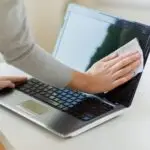
- Keep the computer clean: Use a soft cloth to clean the screen and keyboard regularly.
- Avoid eating or drinking near the computer: This prevents spills and crumbs from damaging it.
- Store in a cool, dry place: Computers should not be exposed to excessive heat or moisture.
- Shut it down properly: Always use the proper shutdown procedure to prevent software corruption.
- Handle cables carefully: Avoid pulling or bending the cables.
- Install antivirus software: Protect the computer from malware by installing and updating antivirus programs.
- Use a surge protector: This protects the computer from power surges that can damage the components.
- regularly defragment the hard drive: This helps to organize files and improve performance.
- Keep the computer covered when not in use: This prevents dust and other particles from entering the system.
- Avoid placing heavy objects on top of the computer: This can damage the screen or other components.
Teaching Methods
To deliver this lesson, the teacher will adopt the following methods: Question and Answer, Explanation, Demonstration, Interactive Questioning, Group Discussion, Summary, Recap.
Instructional Procedures
To deliver this lesson, the teacher will adopt the following steps:
Step 1: Introduction
Time: 5 mins
Teaching Skill: Set Induction
Teacher’s Activity: Asks pupils about their experience with using or seeing computers.
pupils’ Activity: Respond actively.
Step 2: Explanation
Time: 10 mins
Teaching Skill: explanation
Teacher’s Activity: Explains the importance of caring for computers, using a chart.
Pupils’ Activity: Listen and observe.
Step 3: Demonstration
Time: 10 mins
Teaching skill: Demonstration
Teacher’s Activity: Shows how to clean a computer and handle cables carefully.
Pupils’ Activity: Observe and ask questions.
step 4: note-Taking
Time: 5 mins
Teaching Skill: Guided learning
Teacher’s Activity: Guides pupils to copy key points in their notes.Pupils’ Activity: Write notes carefully.
Step 5: Evaluation/Review
Time: 5 mins
Teaching Skill: interactive questioning
Teacher’s Activity: Asks pupils questions based on the lesson.
Pupils’ Activity: Respond and discuss.
Objective-aligned checks:
- explain six ways of caring for a computer system.
- Demonstrate an thankfulness for keeping the computer system in good condition.
Step 6: Conclusion
Time: 5 mins
teaching Skill: Summary
teacher’s Activity: Summarizes key points and gives homework.
Pupils’ Activity: Listen attentively.
Lesson Keywords
- Computer System – A set of integrated devices that input, process, output, and store data and information.
- Hardware – The physical components of a computer system, such as the monitor, keyboard, and mouse.
- Software – The programs and other operating information used by a computer.
- Antivirus – Software designed to detect and destroy computer viruses.
- Malware – Software that is intended to damage or disable computers and computer systems.
- Surge Protector – A device designed to protect electrical devices from voltage spikes.
Lesson Evaluation
To evaluate the learning, the teacher asks pupils to:
- Define a computer system.
- List six ways of caring for a computer system.
- Explain why eating near a computer can be harmful.
- Demonstrate how to clean a computer screen.
- Discuss the importance of antivirus software.
Assignment/Homework
- List five places where computers are commonly used in Nigeria.
- describe three things that can damage a computer system.
- Explain why it is indeed crucial to shut down a computer properly.
differentiation
- For slower learners: Provide simplified instructions and hands-on assistance during the demonstration.
- For advanced learners: challenge them to research additional ways to optimize computer performance and security.
- For visual/auditory/kinesthetic learners: Use visual aids, verbal explanations, and hands-on activities to cater to different learning styles.
Note for Teachers
Remember to engage pupils actively during the demonstration to sustain their interest. Ensure you supervise closely during the cleaning exercise for safety. Happy teaching!


Community Join the conversation Open discussion +