

Class: Primary 6
Term: 2nd Term
Subject: Basic Science and Technology
Curriculum Theme: Computer Studies
Previous Lesson: Using Drawing Tools, Pentagon, Five Points Start Tool, Polygon, Curve And Hexagon Tool When Drawing With Paint Artist
Topic: Safety Precautions in Using Computer Hardware
Content/Learning Area: Precautions that should be taken in the use of computer hardware to ensure the safety of users and the longevity of computer components.
Time Allocation: 40 minutes
Performance Objectives
By the end of the lesson, pupils should be able to:
- Cognitive Domain: Explain what safety precautions mean and list six safety precautions in using computer hardware.
- affective Domain: Appreciate the importance of following safety rules when using computer hardware.
- Psychomotor Domain: Demonstrate proper handling of computer hardware following safety precautions.
- Social Domain: Encourage teamwork and responsibility in maintaining a safe computer habitat.
Reference Materials
The following resources where used in planning this lesson:
- 9 – Years Basic Education Curriculum, Abuja
- Educational Resource Centre Scheme of Work
- NAPPS National Unified Scheme of Work
- Online Data from: BankInfoSecurity – Top 10 Computer Safety Tips
- Relevant Textbooks
Instructional materials
To deliver this lesson, the teacher will use the following materials:
- A functional computer system
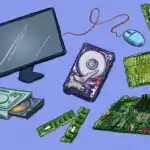
- A projector or charts showing computer hardware components
- A PowerPoint presentation on safety precautions
- A video demonstration of computer safety practices
Rationale for the Lesson
Understanding safety precautions when using computer hardware is important to prevent damage to devices and protect users from electrical hazards. This knowledge ensures that pupils develop safe computer usage habits, which will be useful in school and beyond.
Prerequisite/Previous Knowledge
Pupils have used computer hardware in previous lessons and are familiar with basic components such as the keyboard, mouse, and system unit.
Lesson Content
Safety Precautions in Using Computer hardware
A safety precaution is a careful action taken to prevent accidents, injuries, or damage when using a computer.
The following are safety precautions to take when using computer hardware:
- Handle with Clean Hands – Always wash and dry hands before using a computer to prevent dirt from damaging the hardware.
- Avoid Eating or Drinking Near the Computer – This prevents spills that can cause short circuits.
- Use a Stable Power Supply – A UPS (Uninterruptible Power Supply) protects the computer from sudden power surges.
- Turn Off and Unplug When Not in Use – This prevents overheating and protects the computer from power-related damage.
- Keep Vents and Fans Unblocked – Proper ventilation prevents the system from overheating.
- Use the Computer in a Clean and Dry Environment – Dust and moisture can damage internal components.
- Avoid Overloading Power Outlets: Do not plug too many devices into one outlet to prevent electrical hazards.
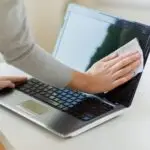
- Regularly Clean the Computer: Use a soft, dry cloth to clean the computer case, screen, and keyboard to remove dust and debris.
- Use Surge Protectors: Protect your computer from voltage spikes by using surge protectors.
- Position Cables Properly: Arrange cables to prevent tripping hazards and avoid damage to the cables themselves.
Teaching Methods
To deliver this lesson, the teacher will adopt the following methods: Discussion, Demonstration, Visual Aids, Group Work, Practical Activity.
Instructional Procedures
To deliver this lesson, the teacher will adopt the following steps:
Step 1: Introduction (Set Induction)
Time: 5 mins
Teaching Skill: Set Induction
Teacher’s Activity: Asks pupils to mention ways thay care for their personal belongings and relate it to computer safety.
Pupils’ Activity: Pupils respond with examples from their daily lives.
Step 2: Explanation of Safety Precautions
Time: 8 mins
Teaching Skill: Explanation
teacher’s Activity: Explains the meaning of safety precautions and the importance of handling computer hardware with care.
Pupils’ Activity: Listen attentively and take notes.
Step 3: Listing Safety Precautions
Time: 7 mins
Teaching Skill: Discussion
Teacher’s Activity: Lists and explains six safety precautions while showing related images.Pupils’ Activity: Identify and discuss the safety rules.
Step 4: Practical Demonstration
Time: 8 mins
Teaching Skill: Demonstration
Teacher’s Activity: Demonstrates the right and wrong ways to handle computer hardware.
Pupils’ Activity: pupils practice handling a computer safely.
Step 5: Note-Taking
Time: 5 mins
Teaching Skill: writing
Teacher’s Activity: Guides pupils to copy key points in their notebooks.
Pupils’ Activity: Copy notes in their notebooks.
Step 6: Evaluation/Review
Time: 5 mins
Teaching Skill: Questioning
Teacher’s Activity: Asks pupils to mention and demonstrate safety precautions.
Pupils’ Activity: Pupils answer and demonstrate handling techniques.
Objective-aligned checks:
- Explain what safety precautions mean and list six safety precautions in using computer hardware.
- Demonstrate proper handling of computer hardware following safety precautions.
Step 7: Conclusion
Time: 2 mins
Teaching Skill: Summarizing
Teacher’s Activity: Summarizes the lesson and gives a takeaway message on computer safety.
Pupils’ Activity: Listen attentively.
Lesson Keywords
- Safety Precaution – A careful action taken to prevent accidents or damage.
- Hardware – The physical components of a computer system.
- UPS (Uninterruptible power Supply) – A device that provides backup power in case of a power outage.
- Ventilation – The process of providing fresh air to prevent overheating.
- Surge Protector – A device that protects electronic devices from voltage spikes.
Lesson Evaluation
To evaluate the learning,the teacher asks pupils to:
- What is a safety precaution?
- List two safety precautions in using computer hardware.
- Why should we not eat or drink near the computer?
- How does a UPS help protect a computer?
- Demonstrate the correct way to handle a computer mouse.
Assignment/Homework
- List five safety precautions you should follow when using a computer at home.
- Explain why it is important to keep computer vents unblocked.
- Draw a picture showing the correct way to handle a computer keyboard.
Differentiation
- For slower learners: Pair them with fast learners for guidance and provide additional visual aids.
- For advanced learners: Assign them to lead the group discussion and practical demonstrations.
- For visual/auditory/kinesthetic learners: Use videos, demonstrations, and hands-on activities to cater to different learning styles.
note for Teachers
Encourage pupils to practice safe handling of computer hardware by allowing hands-on demonstrations.Reinforce the importance of computer safety by linking it to their everyday habits, such as keeping their school bags clean and organized. Engage them with real-life examples to make the lesson relatable. Happy teaching!


Community Join the conversation Open discussion +