

Note for teachers using this lesson plan
This lesson focuses on the practical details of computer hardware maintenance. Prepare by gathering the listed instructional materials, especially computer scraps, to allow for demonstration and hands-on observation. The central concept is for students to understand and identify various maintenance procedures and tools. Ensure safety during any practical demonstration involving computer components. By the end, learners should be able to describe different types of hardware maintenance and the tools used.
Class: SS 3
Term: First Term
Week: 11
Age: 17 years
Duration: 60 minutes
Subject: Data Processing
Curriculum Theme: Computer Hardware Maintenance
Previous Lesson: Computer Viruses, Meaning, Sources, Warning Signs and Prevention
Topic: Maintenance of Computer II
Subject Matter: Details of Hardware maintenance
Specific Objectives
By the end of the lesson, pupils/students should be able to:
Cognitive Domain
- Define computer hardware maintenance.
- State the importance of computer hardware maintenance.
- Differentiate between preventive and corrective maintenance.
- Identify common tools used for hardware maintenance.
- List general procedures for maintaining computer hardware.
Affective Domain
- Appreciate the necessity of regular computer maintenance.
- Show willingness to follow safety precautions during maintenance.
- Value the role of proper tools in hardware maintenance.
Psychomotor Domain
- Demonstrate the use of basic hardware maintenance tools.
- Perform simple cleaning procedures on computer components.
Reference Materials
The following resources were used in planning this lesson:
- 2014 Senior Secondary Education Curriculum (SSEC)
- Relevant State Unified Scheme of Work
- A suitable Data Processing textbook for SS 3
- FCT ERC/NAPPS Scheme of work
Instructional Materials
The teacher will teach this lesson with the aid of:
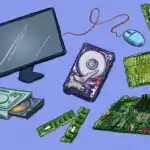
- Computer scraps (e.g., old CPU casing, motherboard, RAM, hard drive)
- Screwdrivers (Phillips and flat-head)
- Compressed air duster
- Soft lint-free cloths
- Small brush
- Isopropyl alcohol (for cleaning contacts)
- Anti-static wrist strap
Rationale for the Lesson
This lesson provides students with essential knowledge and practical understanding of maintaining computer hardware. It is crucial for ensuring the longevity and optimal performance of computer systems, which are fundamental tools in data processing. The skills learned will enable students to identify and address basic hardware issues, contributing to their overall practical competence in computing.
Prerequisite/Previous Knowledge
Pupils/students should have prior knowledge of basic computer hardware components and the general concept of computer maintenance, likely covered in “Maintenance of Computer I”.
Lesson Content/Board Summary
Computer Hardware Maintenance
Meaning of Computer Hardware Maintenance
Computer hardware maintenance refers to the process of keeping computer components in good working condition. It involves a series of tasks aimed at preventing failures, extending the lifespan of hardware, and ensuring optimal performance of the computer system.
Importance of Computer Hardware Maintenance
Regular computer hardware maintenance is important for several reasons:
- Extends Lifespan: It helps to prolong the operational life of computer components and the entire system.
- Improves Performance: Cleaning and optimizing hardware can lead to faster and more efficient computer operation.
- Prevents Data Loss: Regular checks can identify potential issues before they lead to critical failures and data loss.
- Reduces Repair Costs: Preventive maintenance can help avoid costly repairs or replacements in the future.
- Ensures Reliability: A well-maintained system is more reliable and less prone to unexpected breakdowns.
- Maintains Warranty: Some warranties require regular maintenance to remain valid.
Types of Computer Hardware Maintenance
Computer hardware maintenance can be broadly categorized into two main types:
Preventive Maintenance
Preventive maintenance involves routine tasks performed to prevent hardware failures before they occur. Its goal is to keep the system running smoothly and identify potential problems early.
Examples of preventive maintenance tasks include:
- Regular cleaning of internal and external components (e.g., dusting fans, cleaning keyboard).
- Checking and securing all cable connections (power, data, peripherals).
- Monitoring component temperatures to prevent overheating.
- Updating firmware for hardware devices.
- Running diagnostic tools to check hardware health.
Corrective Maintenance
Corrective maintenance is performed to fix hardware problems after they have occurred. It is reactive and aims to restore the system to its normal working condition.
Examples of corrective maintenance tasks include:
- Replacing a faulty hard drive or RAM module.
- Repairing a broken power supply unit.
- Troubleshooting and fixing connectivity issues with peripherals.
- Replacing worn-out fans or cooling systems.
- Repairing damaged circuit boards (often done by specialists).
Tools for Computer Hardware Maintenance
Various tools are used for effective computer hardware maintenance:
- Screwdrivers: Phillips and flat-head screwdrivers are essential for opening computer casings and securing components.
- Compressed Air Duster: Used to blow dust and debris from internal components, fans, and vents.
- Lint-Free Cloths: Soft cloths used for wiping external surfaces and delicate components without leaving fibers.
- Small Brush: For gently removing dust from hard-to-reach areas or sensitive parts like fan blades.
- Isopropyl Alcohol: Used with lint-free cloths to clean contacts (e.g., RAM, expansion cards) and remove stubborn grime.
- Anti-static Wrist Strap: Worn to discharge static electricity from the body, preventing damage to sensitive electronic components.
- Cable Ties/Velcro Straps: For organizing internal cables to improve airflow and prevent tangles.
- Multimeter: (For advanced users) Used to test electrical circuits and power supply units.
General Hardware Maintenance Procedures
Basic procedures for maintaining computer hardware include:
- Power Down and Disconnect: Always shut down the computer completely and unplug it from the power source before performing any internal maintenance.
- Ground Yourself: Use an anti-static wrist strap to prevent electrostatic discharge (ESD) damage to components.
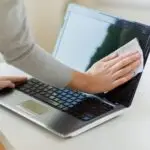
- Clean External Surfaces: Wipe the monitor, keyboard, mouse, and casing with a lint-free cloth and mild cleaning solution.
- Dust Internal Components: Open the computer case and use compressed air to blow dust from the motherboard, CPU heatsink, fans, power supply, and expansion cards.
- Check and Secure Connections: Ensure all internal cables (SATA, power, front panel connectors) are securely seated.
- Clean Fan Blades: Gently clean dust from CPU, case, and power supply fan blades using a small brush or compressed air.
- Inspect for Damage: Look for any signs of wear, corrosion, or physical damage on components and cables.
- Reassemble and Test: Carefully close the computer case, reconnect peripherals, and power on to ensure everything works correctly.
Teaching Methods/Instructional Techniques
Discussion, Demonstration, Guided Practice, Question and Answer, Explanation, Observation, Practical Activity
Instructional Procedures
Step 1: Introduction
Time: 5 minutes
Teaching Skill: Review/Introduction
Teacher’s Activity: The teacher greets the students and asks them to recall what they learned about computer maintenance in the previous lesson. The teacher then introduces the topic: “Details of Hardware Maintenance.”
Pupils’ Activity: Pupils respond to the teacher’s questions and listen attentively to the introduction.
Learning Point: Previous knowledge recall
Step 2: Importance of Hardware Maintenance
Time: 7 minutes
Teaching Skill: Explanation/Discussion
Teacher’s Activity: The teacher explains the various reasons why computer hardware maintenance is important, such as extending lifespan, improving performance, and preventing data loss. The teacher encourages students to contribute their own ideas.
Pupils’ Activity: Pupils listen, ask questions, and contribute to the discussion on the importance of maintenance.
Learning Point: Importance of maintenance
Step 3: Types of Hardware Maintenance
Time: 7 minutes
Teaching Skill: Explanation/Differentiation
Teacher’s Activity: The teacher explains and differentiates between preventive and corrective maintenance, providing clear examples for each type. The teacher uses real-world scenarios to make the concepts concrete.
Pupils’ Activity: Pupils listen to the explanations and identify the differences between preventive and corrective maintenance.
Learning Point: Types of maintenance
Step 4: Tools for Hardware Maintenance
Time: 7 minutes
Teaching Skill: Demonstration/Identification
Teacher’s Activity: The teacher displays and identifies various tools used for hardware maintenance (e.g., screwdrivers, compressed air, anti-static strap) using the computer scraps for context. The teacher explains the function of each tool.
Pupils’ Activity: Pupils observe the tools, identify them, and listen to their functions.
Learning Point: Hardware maintenance tools
Step 5: General Maintenance Procedures
Time: 7 minutes
Teaching Skill: Explanation/Instruction
Teacher’s Activity: The teacher explains the general procedures for performing hardware maintenance, emphasizing safety precautions like powering down and grounding. The teacher describes steps like cleaning, checking connections, and inspecting for damage.
Pupils’ Activity: Pupils listen carefully to the procedures and safety instructions.
Learning Point: Maintenance procedures
Step 6: Practical Application/Discussion
Time: 7 minutes
Teaching Skill: Guided Practice/Observation
Teacher’s Activity: Using the computer scraps, the teacher demonstrates a few basic maintenance tasks, such as opening a casing, dusting a fan, or checking a cable connection. The teacher guides students to observe closely and ask questions.
Pupils’ Activity: Pupils observe the demonstration, identify components, and ask clarifying questions about the practical steps.
Learning Point: Practical maintenance demonstration
Step 7: Evaluation/Review
Time: 5 minutes
Teaching Skill: Questioning/Assessment
Teacher’s Activity: The teacher evaluates the learning by asking the following questions:
- What is computer hardware maintenance?
- State two importance of computer hardware maintenance.
- Differentiate between preventive and corrective maintenance.
- Mention three tools used for hardware maintenance.
- List two general procedures for maintaining computer hardware.
Pupils’ Activity: Pupils answer orally and in writing.
Learning Point: Understanding hardware maintenance
Step 8: Note-Taking
Time: 10 minutes
Teaching Skill: Guided Writing
Teacher’s Activity: The teacher guides pupils/students to copy the essential Board Summary notes on the meaning, importance, types, tools, and procedures of hardware maintenance into their notebooks.
Pupils’ Activity: Pupils/students copy the notes carefully into their notebooks.
Learning Point: Recording lesson notes
Step 9: Conclusion
Time: 5 minutes
Teaching Skill: Consolidation
Teacher’s Activity: The teacher briefly summarizes the key points of the lesson, reinforcing the importance of regular hardware maintenance for optimal computer performance and longevity. The teacher encourages students to apply what they have learned.
Pupils’ Activity: Pupils listen to the summary and prepare for the next lesson.
Learning Point: Lesson reinforcement
Continuous Assessment/Further Study
Type: Homework/Research
Instruction: Answer the following questions in your notebook:
- Research and list five common computer hardware problems that require corrective maintenance.
- Explain why an anti-static wrist strap is crucial when performing internal computer maintenance.
- Describe the steps you would take to clean a dusty CPU fan.
Lesson Keywords
- Hardware Maintenance – Actions taken to keep computer components in good working order.
- Preventive Maintenance – Routine tasks to prevent hardware failures.
- Corrective Maintenance – Actions taken to fix hardware problems after they occur.
- Compressed Air Duster – Tool for blowing dust from computer components.
- Anti-static Wrist Strap – Device used to prevent electrostatic discharge damage.
Differentiation
For students who may struggle with the concepts, the teacher will provide additional visual aids and simplified explanations of maintenance procedures. Advanced learners will be encouraged to research specific hardware troubleshooting scenarios and present their findings to the class.
Suggested Lesson Videos
Search YouTube for “Computer Hardware Maintenance SS3” or “Basic PC Cleaning and Maintenance Guide”.

Community Join the conversation Open discussion +